 Click to zoom
Business Hours Schedule Keynote Template - Editable KEY | ImagineLayout
| Format | .pptx |
| Slides | 3 unique layouts |
| Aspect ratio | 16:9 |
| Compatibility | PowerPoint |
| Animated | No |
| Language | English |
| License | Commercial |
| File size | — |
| Version | v1.0 |
| Last updated | March 2026 |
What's inside
28 Diagrams Across 7 Layouts: Full Contents
What is a Business Hours Keynote template? A Business Hours Keynote template is a pre-built Apple Keynote file (.key / .kth) containing schedule, timeline, and organizational diagram slides designed for presenting working hours, operational planning, financial schedules, and business process structures in professional presentations.
28 diagrams and 7 color schemes are included in the paid tier. The diagram set covers the structural needs of operations and finance presenters: timeline layouts for shift and schedule visualization, organizational flowcharts for team structure, clock-based radial diagrams for showing hour-by-hour operational windows, and tabular comparison slides for multi-day or multi-department schedule coordination. Three slide masters and three background variations handle the presentation frame - dark and light background options accommodate different room projection conditions.
The color palette is built for financial and operational contexts: navy and slate for corporate credibility, amber and gold for emphasis on key time windows, with neutral grays for supporting data zones. Unlike schedule template sets built around a single diagram format, this collection moves across radial, linear, and grid-based time visualization structures - the same file handles a global market hours presentation and an internal workforce scheduling briefing without visual inconsistency.
Format and Compatibility Details
FeatureDetailsDiagrams included28 across 7 color schemes (paid tier)Slide masters3 masters + 3 background variationsFile formats.key (editable), .kth (Keynote theme)Keynote compatibilityKeynote 12 and later on macOSEditable timeline elementsTimeline bars, segment labels, and connector lines adjust independentlyClock/radial diagram editingRadial segments recolor and resize without breaking circular alignmentColor scheme switching7 palettes applied via master slide palette - propagates across all diagramsFree tier3 masters + 3 backgrounds only; no diagram slidesLicenseSingle-user commercial use; no redistribution or resaleTypical Use Cases by Role
A financial analyst at an asset management firm needed to present global stock exchange trading windows across four time zones for a quarterly client briefing. Building radial clock diagrams from Keynote's shape library would have taken 3-4 hours of alignment work. The pre-built radial time diagrams in this set were adapted in 35 minutes - zone segments recolored by exchange, labels updated with market names, and the master palette adjusted to match the firm's navy brand color.
A regional operations director at a retail chain used the multi-day grid timeline diagrams to present a proposed shift restructuring plan to senior leadership. The grid structure organizes 7-day operational data across color-coded department rows, which communicates scheduling complexity in a format that reads immediately in a room - no legend explanation required. The director reused the same file for three consecutive quarterly planning reviews by updating only the timeline labels and segment colors.
HR specialists presenting onboarding schedules or training calendars to new cohorts benefit from timeline formats that show sequential phases without requiring audience numeracy. The linear timeline diagrams in this set use phase separation by color zone rather than numeric markers alone - keeping the sequence clear for mixed-literacy audiences. International stock market hours themes pair naturally when global financial schedules are part of the same briefing. Browse more in the Finance and Accounting Keynote category.
Download and start editing immediately.
How to Make It Yours in Under 20 Minutes
How do I edit the timeline diagrams in this Keynote template? Open the .key file in Keynote 12 or later. Timeline bar lengths adjust by dragging shape endpoints - they do not require ungrouping. Labels update directly by double-clicking the text placeholder within each diagram element.
- Step 1 - Open the .key file in Keynote 12 or later (1 minute)
- Step 2 - Replace title and section header placeholder text (2 minutes)
- Step 3 - Update diagram labels - day names, time windows, department names - by double-clicking text zones (5-8 minutes)
- Step 4 - Adjust color scheme via View - Edit Master Slides to apply brand colors across all 28 diagrams (2 minutes)
- Step 5 - Resize timeline bars or radial segments to reflect actual schedule proportions (3-5 minutes)
- Step 6 - Export as .key for team editing or PDF for distribution (1 minute)
Editing difficulty: Beginner to Moderate. Text and color changes require no design experience. Radial diagram resizing benefits from basic Keynote shape familiarity. Total time for a standard schedule update: 15-20 minutes.
Why This Template, Not a Blank Slide
A radial clock diagram built from Keynote primitives requires constructing arc segments, aligning them to a center point, distributing labels around the circumference at equal angular intervals, and rechecking all element positions after any resize. A designer familiar with Keynote's vector tools needs 90 minutes to 2 hours for a single clean radial diagram. Non-designers routinely abandon the attempt and fall back to a plain text list - which communicates the same data less effectively for a boardroom audience.
The radial segments in this template are constructed as Keynote grouped objects with pre-set anchor points. Recoloring a segment does not affect its neighbors. Updating a label does not shift adjacent diagram elements. That stability is what makes the file reusable across repeated quarterly briefings without reconstruction.
One deliberate design choice: the hour markers on radial diagrams in this set use thin tick lines at the perimeter rather than numeric labels at every interval. Heavy numeric labeling on clock diagrams creates visual noise that competes with the data zones. Tick lines preserve the readable time reference without cluttering the visualization - a tradeoff that becomes evident when comparing projected versions side by side.
Pair with the Time Money Keynote theme for decks that combine schedule visualization with financial impact data.
Download and start editing immediately.
Which Keynote version is required?Keynote 12 or later on macOS is required for full editing access, including master slide palette adjustments, grouped diagram element editing, and timeline shape resizing. Earlier Keynote versions may open the .key file but cannot guarantee full compatibility with master slide color propagation or grouped object behavior. The .kth theme file installs via the Keynote theme browser and requires the same macOS Keynote version.
How do I change the color scheme across all diagrams at once?All 7 color schemes are managed through the Keynote master slide palette. Go to View - Edit Master Slides, select the master slide background, and update the primary and accent colors. All 28 diagram slides that reference the master palette update simultaneously - individual slide recoloring is not required. To use different schemes in different deck sections, duplicate the master slides and assign each section's slides to the corresponding master variant.
Can I use this template in commercial client projects?Yes. Single-user commercial use is permitted, covering client presentations, internal corporate briefings, investor materials, and training sessions. The license does not permit redistribution of the .key or .kth files to other users, resale on other marketplaces, or sublicensing to other designers. Each person who will independently edit the file should purchase a separate license. Presenting the completed deck to an external audience is fully covered under commercial use.
What is the difference between the free ($12) and paid ($22) versions?The free tier at $12 includes 3 slide masters and 3 background variations - the structural presentation framework without diagram content. The paid version at $22 adds all 28 timeline, schedule, and organizational diagrams across 7 color schemes. For any presentation focused on schedule visualization, shift planning, or operational data, the diagram content in the paid version is where the functional value lies. The free tier serves teams who need the theme aesthetic and master formatting only.
Does this template include animation?The template ships without pre-set animations, keeping the file lightweight and presentation-context neutral. All diagram elements are fully compatible with Keynote's Animate panel - build-in effects, transitions, and object animations can be applied to any timeline segment, radial arc, or label group. Adding a simple build-in effect to a timeline bar typically takes under 2 minutes per slide using Keynote's standard animation presets.
What is the refund policy?ImagineLayout processes refund requests for digital downloads on a case-by-case basis. A refund is typically approved when the downloaded file is technically defective - for example, the .key file cannot be opened in a compatible Keynote version or the file is corrupted. Refunds are not available after a file has been successfully downloaded for reasons unrelated to a technical defect. The full refund policy is available on the ImagineLayout website before purchase.
Good for
- Project roadmaps and sprint plans
- Product launch timelines
- Quarterly or annual review decks
- Company history and milestone summaries
Licence
reviews
Used this for a Monday office update and the charts saved me some time honestly.
The arrow slides looked fine for my business class, changed the colors and submitted it.
Not bad but a few text boxes were weirdly placed when I opened it in Keynote.
I only needed 3 slides for a quick report and this worked okay.
The icons and layouts were simple enough that I didn’t have to fix much.
FAQ
Will it work in Google Slides?
Are fonts embedded?
Can I use this for client work?
What's the refund policy?
Do you update the template after purchase?
Similar templates
See all Keynote templates →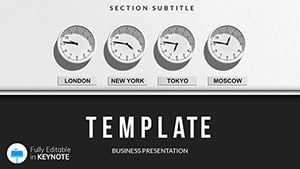



All 1 slides