 Click to zoom
Business Assistance Keynote Template Essentials
| Format | .pptx |
| Slides | 3 unique layouts |
| Aspect ratio | 16:9 |
| Compatibility | PowerPoint |
| Animated | No |
| Language | English |
| License | Commercial |
| File size | — |
| Version | v1.0 |
| Last updated | October 2021 |
What's inside
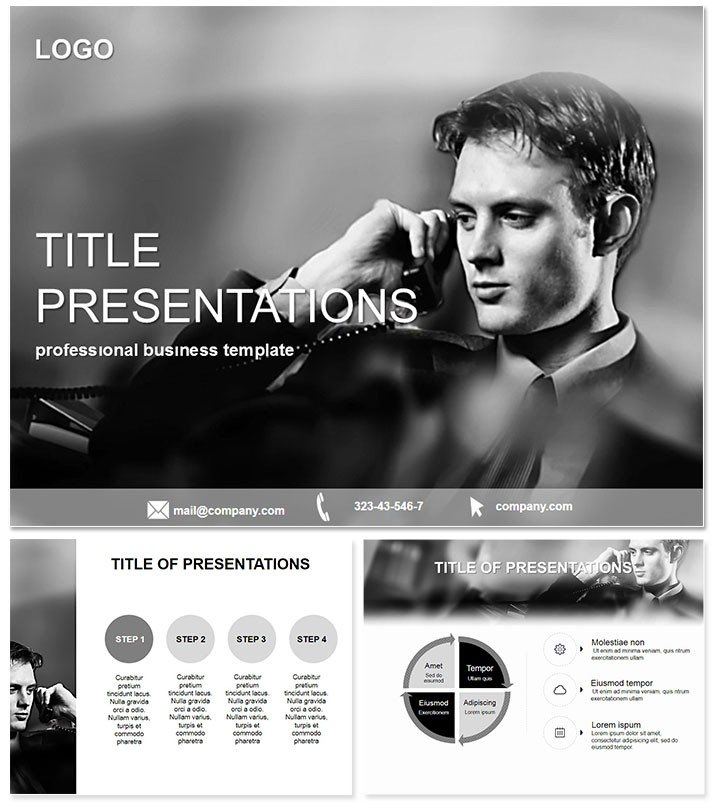
Struggling to convey complex business strategies without losing your team`s attention? The Business Assistance Keynote Template changes that, offering a polished platform to dissect challenges and spotlight solutions with clarity and confidence. Tailored for managers and consultants, this tool turns data-heavy discussions into actionable roadmaps that drive results.
Fully compatible with Keynote versions from 2016 onward, it comes with a lifetime license for ongoing use across your organization. Priced at a straightforward $22 one-time fee, it`s a smart addition to any professional`s digital arsenal.
Core Features for Streamlined Business Presentations
Built on three versatile master slides, this template ensures brand-aligned consistency while allowing quick swaps for different meeting types. Choose from three professional backgrounds - minimalist grids for analytical reviews or subtle gradients for motivational talks - to set the right ambiance.
The standout element? 28 purpose-built diagrams that cover everything from SWOT analyses to process flows. Seven color schemes let you align visuals with corporate palettes, making your slides not just informative but visually cohesive. All elements are vector-scaled and fully editable, so resizing or recoloring takes seconds.
Integration is effortless: pull in data from Excel via Keynote`s import features, or embed live charts for real-time updates during remote sessions. This isn`t a static deck - it`s a dynamic aid that evolves with your business needs.
Essential Slides for Everyday Business Challenges
- Strategy Overview Layout: A clean timeline for quarterly goals and milestones.
- SWOT Matrix: Quadrant diagrams to balance strengths, weaknesses, opportunities, and threats.
- Process Flowchart: Step-by-step visuals for operational workflows.
- Resource Allocation Pie: Segmented charts showing budget breakdowns.
- Team Performance Dashboard: Multi-metric gauges for KPI tracking.
Each slide draws from real consulting best practices, helping you avoid common pitfalls like cluttered data dumps.
Practical Use Cases in Office and Strategy Settings
In weekly team huddles, office managers leverage this template to outline assistance programs, using the flowchart slides to map support pathways for employees. A HR director at a mid-sized firm noted how these visuals reduced confusion during policy rollouts, boosting adoption rates significantly.
Consultants in strategy firms use it for client workshops, where the SWOT diagrams facilitate brainstorming sessions. One advisor recounted closing a major deal by projecting interactive versions of these slides, allowing clients to annotate directly - fostering ownership and commitment.
For remote office work, the template`s clean design shines on video calls. Sales teams adapt the performance dashboards to review quarterly assists, turning numbers into narratives that motivate reps to exceed targets.
Superior to Basic Keynote Defaults
While default Keynote offers simple charts, they often lack the interconnected logic needed for business narratives. This template bridges that gap with pre-linked diagrams that update holistically - change one data point, and the whole flow adjusts. The result is presentations that feel alive and responsive, far beyond stock options.
Feedback highlights its time-saving edge: "Cut my prep from days to hours," says a project lead. With accessibility features like alt-text ready placeholders, it`s inclusive for all team members.
Expert Tips for Deployment and Enhancement
Launch by duplicating the master and infusing your company logo - Keynote`s layer tools make it intuitive. For added punch, incorporate subtle animations like fade-ins for bullet points, revealing info progressively to maintain focus.
Tip: Sync with collaboration tools like Slack by exporting PDF previews for quick shares. Always rehearse with the full deck to fine-tune pacing, ensuring your assistance messages land with precision.
Empower your business communications today - secure your Business Assistance Keynote Template and lead with unmatched clarity.
Frequently Asked Questions
What Keynote versions does this support?
It`s optimized for 2016 and later, with full backward compatibility where possible.
Are the diagrams data-linked?
Yes, they support dynamic links to external data sources for live updates.
Is team licensing included?
The lifetime license allows unlimited use within your organization.
How easy is color customization?
With 7 schemes and one-click application, it`s designed for quick brand alignment.
Can I add animations?
Absolutely - leverage Keynote`s animation suite to enhance flow and engagement.
Good for
- Project roadmaps and sprint plans
- Product launch timelines
- Quarterly or annual review decks
- Company history and milestone summaries
Licence
reviews
Consulting deck – the SWOT matrix diagrams facilitated a great brainstorming session.
The resource allocation pies are useful but the process flowcharts are a bit plain.
Office manager – used the team performance dashboards for KPI tracking and it worked well.
Wish the strategy overview timelines were more customizable but the grid background is clean.
Good for internal ops but not flashy enough for a big client pitch.
FAQ
Will it work in Google Slides?
Are fonts embedded?
Can I use this for client work?
What's the refund policy?
Do you update the template after purchase?
Similar templates
See all Keynote templates →

All 1 slides