 Click to zoom
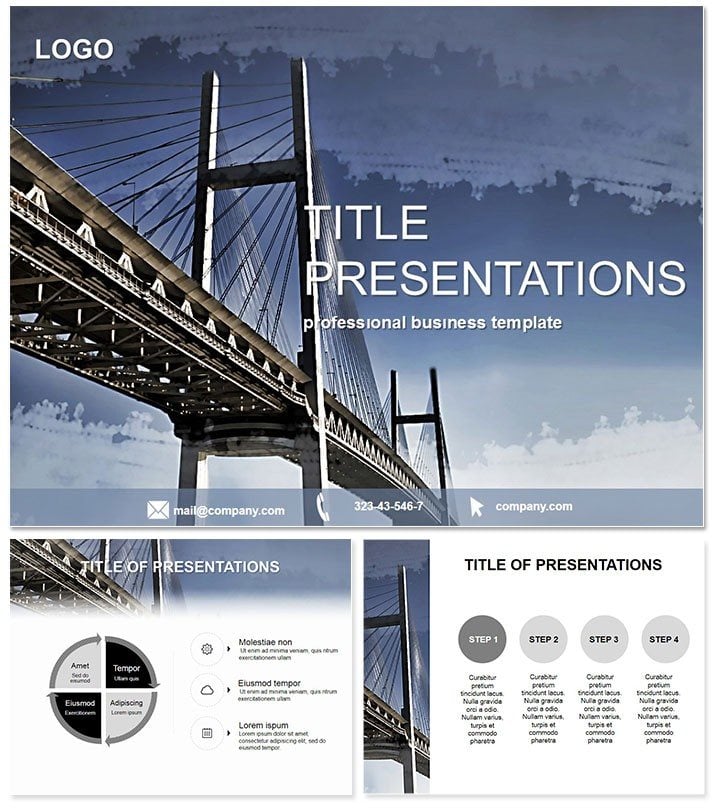
Bridge Construction PowerPoint Slides
| Format | .pptx |
| Slides | 3 unique layouts |
| Aspect ratio | 16:9 |
| Compatibility | PowerPoint |
| Animated | No |
| Language | English |
| License | Commercial |
| File size | — |
| Version | v1.0 |
| Last updated | September 2021 |
What's inside
Bridge the gap between blueprint and breakthrough with the Bridge Construction PowerPoint Template. Engineered for civil pros, project managers, and urban planners, it turns complex builds into crystal-clear visuals that sway stakeholders and streamline approvals. In an era of ambitious infrastructure, these slides aren`t just supportive - they`re the span that carries your vision to completion, fostering trust and momentum from concept to ribbon-cutting.
Featuring 28 robust diagrams, three masters for structural consistency, and three backgrounds mimicking steel and span aesthetics, it`s primed for real-world rigor. PowerPoint 2016+ ready, your $22 one-time buy secures lifetime customization freedom.
Robust Features for Infrastructure Experts
Strength lies in detail: Seven color schemes - from industrial grays to safety oranges - coat the 28 diagrams, including truss schematics and load-bearing timelines. All vectors, fully resizable, with smart art alternatives that outperform PowerPoint natives.
- Technical Precision: Diagrams with measurement placeholders for accurate scaling.
- Dynamic Transitions: Builds that simulate construction phases sequentially.
- Multi-Format Delivery: .potx core, .jpg previews, .pot templates.
Eschew default charts` rigidity; here, a simple line graph evolves into an arched progress tracker, mirroring actual builds for intuitive understanding.
Targeted Use Cases in Civil Engineering
Site managers present bids with Gantt hybrids, plotting milestones against budgets - securing funds 20% faster, as one firm noted. Urban developers showcase connectivity impacts via network maps, highlighting reduced commute times to win community buy-in.
For academic reviews, phased diagrams dissect famous spans like the Golden Gate, enriching lectures with layered insights. A contractor testimonial: It clarified a delayed project`s recovery plan, salvaging a key partnership.
Edge Over Conventional Designs
Generic tools demand manual fortification; this pre-engineered set fortifies your pitch, slashing prep by half while bolstering credibility.
Construct your narrative foundation today. Lifetime access bridges to future projects.
Optimizing Builds in Your Workflow
Slot into PowerPoint, align with a master, and populate data fields. Nested groups enable drill-downs, from overview to granular specs, ideal for Q&A depth.
Cloud-compatible files sync teams, ensuring alignment from office to field office.
Structuring Stakeholder Confidence
Consultants use radial risk assessments to orbit potential pitfalls, preempting concerns. Policymakers adapt for funding decks, with pyramid allocations stacking priorities logically.
Real impact: A city engineer used span comparison slides to advocate for a pedestrian bridge, swaying council with data-driven drama - approved unanimously.
Frequently Asked Questions
Ideal for tender submissions?
Yes - timeline and budget diagrams streamline cost justifications effectively.
PowerPoint version requirements?
2016 or later, with full feature parity on Windows and Mac.
Scaling for large projects?
Vector-based, so diagrams handle extensive data without pixelation.
Background customization?
Three bases, infinitely adaptable via color fills and overlays.
License scope?
$22 lifetime for solo or team commercial endeavors.
Integration with CAD?
Export slides as images for easy CAD overlays.
Span new heights in presentations - download the Bridge Construction Template and connect ideas boldly.
Good for
- Project roadmaps and sprint plans
- Product launch timelines
- Quarterly or annual review decks
- Company history and milestone summaries
Licence
reviews
the truss schematics and load-bearing timelines are actually accurate enough for a council presentation
saved me from building my own diagrams.
The Gantt hybrids plotting milestones against budgets helped me secure funding 20% faster according to my boss
so I guess it works.
Felt a bit clunky on my older laptop
but the steel and span backgrounds look professional without being too flashy.
Used the network maps for connectivity impacts
the community buy-in was better this time because people could actually see the reduced commute times.
I don't build bridges but the phased diagrams worked for a logistics report I had to do
FAQ
Will it work in Google Slides?
Are fonts embedded?
Can I use this for client work?
What's the refund policy?
Do you update the template after purchase?
Similar templates
See all PowerPoint Templates →

All 1 slides