 Click to zoom
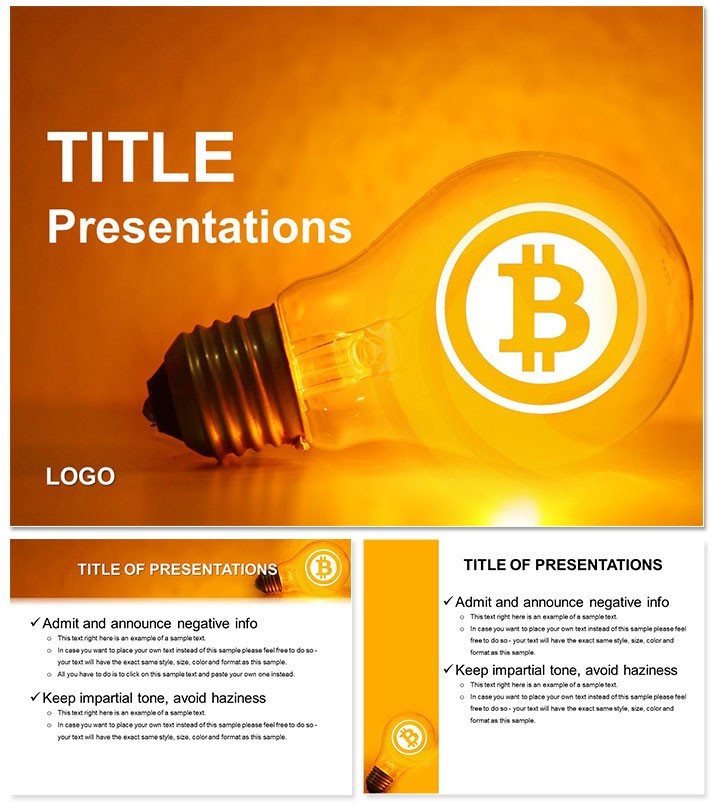
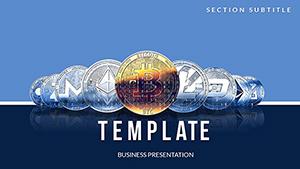
Bitcoin PowerPoint Template
| Format | .pptx |
| Slides | 3 unique layouts |
| Aspect ratio | 16:9 |
| Compatibility | PowerPoint |
| Animated | No |
| Language | English |
| License | Commercial |
| File size | — |
| Version | v1.0 |
| Last updated | January 2024 |
What's inside
Imagine stepping into a boardroom where your slides don`t just inform - they ignite curiosity about the volatile world of cryptocurrency. That`s the power of the Bitcoin PowerPoint Template, crafted for those who live and breathe blockchain, from fintech startups pitching to venture capitalists to university lecturers breaking down decentralized finance. With 28 meticulously designed diagrams, this template turns raw market data into compelling narratives that stick. Whether you`re forecasting Bitcoin`s next surge or explaining smart contracts to skeptics, these slides provide the visual backbone to make your points unforgettable.
At its core, this template is about clarity in chaos. The 7 color schemes let you align with your brand - think sleek blues for trust in trading platforms or fiery oranges for high-stakes volatility discussions. Three master layouts ensure every slide flows seamlessly, while the three background options keep things fresh without overwhelming your message. And because time is money in crypto, everything`s fully editable: swap in your latest wallet stats or tokenomics charts with a few clicks, no design degree required.
Unlocking Key Features for Crypto Communicators
Dive deeper, and you`ll find features that go beyond basic slides. The high-resolution graphics ensure your visuals pop on any screen, from laptop pitches to conference projectors. Take the timeline diagrams - they`re perfect for mapping Bitcoin`s evolution from Satoshi`s whitepaper to today`s ETF approvals, helping you highlight pivotal halvings or regulatory shifts without cluttering the view.
- Versatile Diagrams: From pie charts dissecting mining pools to flowcharts illustrating transaction blocks, these 28 tools cover every angle of crypto storytelling.
- Customization Ease: Adjust fonts to match your deck`s tone - bold sans-serifs for urgent market alerts or elegant serifs for thoughtful analyses.
- Data-Driven Design: Built-in placeholders for live data pulls mean your slides update as markets move, keeping presentations dynamic.
One finance analyst I know swapped out a generic bar graph for one of these pyramid structures to show layered investment risks in DeFi - suddenly, her quarterly review felt like a strategic masterclass, not a data dump.
Streamlining Your Workflow with Smart Layouts
Getting started is straightforward: open in PowerPoint 2016 or later, select your preferred master, and layer in your content. For a quick win, use the infographic slides to visualize wallet growth - start with a simple line graph for historical prices, then overlay icons for key events like the 2021 bull run. This approach not only saves hours but ensures your audience follows the thread from volatility to opportunity.
- Choose a color scheme that echoes Bitcoin`s golden hue for instant recognition.
- Populate the scatter plots with real-time exchange data to demonstrate correlations between altcoins and BTC dominance.
- Test on a secondary monitor to confirm gradients render crisply, avoiding any pixelated pitfalls.
These steps turn a blank canvas into a polished pitch, especially useful for remote teams collaborating via shared links.
Real-World Applications: From Pitch Decks to Classroom Wins
In the fast-paced crypto space, this template shines in diverse scenarios. Picture a venture fund manager using the radial diagrams to allocate portfolio risks across tokens - clear sectors make it easy to spot overexposure to meme coins versus stablecoins. Or consider educators adapting the process maps for teaching consensus mechanisms; students grasp proof-of-work versus proof-of-stake faster when it`s visualized as interconnected nodes rather than bullet points.
For sales teams closing deals on crypto exchanges, the comparison tables are gold: side-by-side fees, security features, and uptime stats that position your platform as the smart choice. Even nonprofits fundraising for blockchain-for-good initiatives find value here - the donut charts elegantly show fund distribution, building donor trust through transparency.
Tailoring for Blockchain Enthusiasts and Beyond
Beyond finance, this template adapts to tech conferences where devs demo dApps. Use the hierarchy slides to break down smart contract layers, making abstract code feel tangible. A developer at a recent ETHDenver event credited similar visuals for landing a freelance gig - her prototype walkthrough flowed like a well-scripted story, not a code crawl.
Customization tips: Layer subtle animations on entry points for diagrams to reveal data progressively, mimicking market reveals without gimmicks. Pair with neutral backgrounds for formal settings or textured ones for creative brainstorms. Always preview in presentation mode to ensure transitions enhance, not distract.
Why This Template Stands Out in a Sea of Slides
What sets this apart from stock PowerPoint options? Depth. While basic templates offer flat charts, these incorporate subtle 3D effects for dimension without cheesiness - ideal for emphasizing Bitcoin`s multifaceted ecosystem. Plus, the user-tested layouts mean less tweaking; one tweak I recommend is resizing icon sets to fit mobile-viewed decks, ensuring accessibility for global audiences.
Integrate it into your workflow by saving as a .potx file for reuse across projects. For teams, the editable elements support version control, letting collaborators tweak without overwriting originals. It`s compatible across Windows and Mac, bridging hybrid work setups seamlessly.
Pro Tips for Maximum Impact
To elevate your next talk, focus on narrative arcs: start with a hook slide using the emblematic Bitcoin symbol, build with data diagrams, and close with forward-looking forecasts via arrow flows. Avoid overcrowding - limit each slide to one key insight, letting the visuals breathe. If you`re presenting to regulators, opt for the monochromatic scheme to underscore compliance focus.
Download the Bitcoin PowerPoint Template now and watch your ideas gain traction in the crypto conversation.
Frequently Asked Questions
What file formats are included?
The template comes in .pptx for PowerPoint and is compatible with Google Slides for broader access.
Can I use this for non-crypto topics?
Absolutely - the abstract diagrams work well for any data-heavy presentation, like stock market overviews.
How many color options are there?
Seven schemes, ranging from vibrant to subdued, to match your branding needs.
Is it editable in older PowerPoint versions?
Designed for 2016 and later; for older, export elements as images.
Does it include animations?
Basic transitions are built-in, with room to add custom ones via PowerPoint tools.
What`s the slide aspect ratio?
Supports 16:9 widescreen standard for modern displays.
Good for
- Project roadmaps and sprint plans
- Product launch timelines
- Quarterly or annual review decks
- Company history and milestone summaries
Licence
reviews
The radar chart for skill assessment across team members.
I wish there were more chart types included.
Had to do a competitor analysis and the radar was useful.
Good for a quick presentation where speed matters.
The file has some extra elements I had to delete.
FAQ
Will it work in Google Slides?
Are fonts embedded?
Can I use this for client work?
What's the refund policy?
Do you update the template after purchase?
Similar templates
See all PowerPoint Templates →
All 1 slides