 Click to zoom
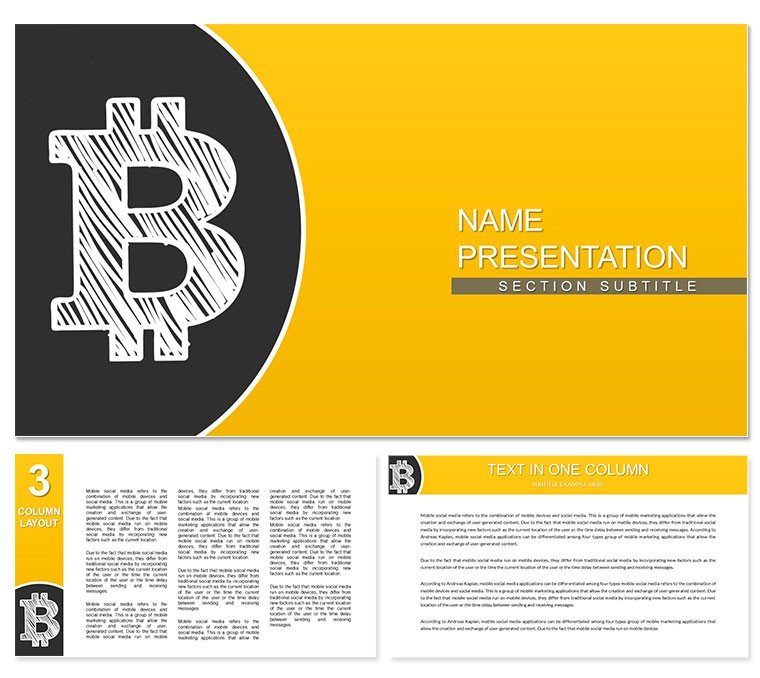
Bitcoin Crypto Keynote Template - Fully Editable KEY | ImagineLayout
| Format | .pptx |
| Slides | 3 unique layouts |
| Aspect ratio | 16:9 |
| Compatibility | PowerPoint |
| Animated | No |
| Language | English |
| License | Commercial |
| File size | — |
| Version | v1.0 |
| Last updated | March 2026 |
What's inside
Package Contents
What is a Bitcoin Keynote template? A Bitcoin Keynote template is a pre-built Apple Keynote file (.key / .kth) that provides slide masters, diagram layouts, and color schemes designed for cryptocurrency and financial presentations - ready to edit without starting from scratch.
28 diagrams ship across the paid download, organized into 7 distinct color schemes. Each scheme is applied across the full diagram set, so switching from a dark navy palette to a warmer amber tone takes a single master-level change - not slide-by-slide recoloring. The download includes 3 slide masters and 3 background variations, giving teams control over structural layout as well as surface aesthetics.
Diagram categories span what crypto and forex presenters actually need: account balance breakdowns, market trend visualizations, process flows for wallet setup or exchange onboarding, and comparative layouts for coin performance. Unlike thematic template sets built around a single chart type, this set moves across informational modes - narrative slides, data-forward charts, and step-sequence diagrams sit within the same visual system. That structural breadth is what makes the same file reusable from an investor briefing to a client education session.
The color language deliberately references the Bitcoin ecosystem - deep blues and amber-orange signal financial credibility without tipping into generic "tech" aesthetics. Each diagram uses color to separate functional zones: wallet layer, transaction layer, market context. That zoning approach mirrors how analysts segment data in financial models, which makes the content easier to parse at projection distance.
Key Specifications At a Glance
FeatureDetailsDiagrams included28 across 7 color schemes (paid tier)Slide masters3 masters, 3 background variationsFile formats.key (editable), .kth (Keynote theme file)Keynote compatibilityKeynote 12 and later, macOS requiredColor scheme adjustmentsAll 7 schemes managed via master slide palette - single-point recoloringEditable diagram elementsShapes, connectors, labels, and icon placeholders editable independentlyText placeholdersUpdate without ungrouping diagram containersFree tier3 masters + 3 backgrounds only - diagrams not includedLicenseSingle-user commercial use permitted; resale or redistribution prohibitedThree Situations Where This Pays Off
A blockchain analyst at a fintech consultancy needed to present a DeFi onboarding flow to a new enterprise client. Building the sequence from blank Keynote shapes would have taken 3-4 hours of connector and icon work. Using the pre-built process flow diagrams from this set, the analyst adapted the slide to client branding in under 50 minutes - replacing color tokens via the slide master and swapping placeholder text without touching grouped shapes.
A currency exchange platform's marketing manager used the comparative layout diagrams for a quarterly briefing on Bitcoin vs. altcoin performance. The side-by-side data zones in this set are structured differently from single-metric chart layouts: they support two parallel data streams with independent labeling, which suited the coin comparison format without requiring custom shape work.
A financial educator running a corporate crypto literacy workshop cycled through four of the seven color schemes across four separate session decks. Each session deck looked distinct while sharing the same underlying diagram logic - reducing preparation time per session from 2 hours to under 30 minutes after the first deck was set up. Bitcoin vs Ethereum comparison decks pair naturally with this set when sessions cover cross-coin analysis.
Download and start editing immediately.
Customization in 5 Steps
How do I change the color scheme in this Keynote template? Open the slide master panel (View - Edit Master Slides), select the master background, and apply your brand color to the master palette. All 28 diagrams inherit the change automatically.
- Step 1 - Open the .key file in Keynote 12 or later (1 minute)
- Step 2 - Replace placeholder text on title slides and diagram labels (3-5 minutes)
- Step 3 - Apply brand colors via the master slide palette - changes propagate to all 28 diagrams (2 minutes)
- Step 4 - Resize or reposition diagram shapes and connectors as needed for your content (4-6 minutes)
- Step 5 - Export as .key for sharing or PDF for distribution (1 minute)
Editing difficulty: Beginner to Moderate. No design software experience required for text and color adjustments. Connector repositioning requires basic Keynote familiarity. Total time from download to a branded, content-filled deck: under 15 minutes for standard adaptation.
Building From Scratch vs. Starting Here
Building a 28-slide crypto presentation from scratch in Keynote requires constructing each diagram shape set individually (30-60 min per complex diagram), designing a consistent icon system across slides, establishing a color theme that functions across dark and light backgrounds, and QA-checking all connector alignments after text updates. A realistic manual build for a comparable set runs 12-20 hours for a designer, longer for a non-designer.
Starting from this file collapses that to 15-45 minutes depending on how much content customization is needed. The diagram connectors in this set attach to shape anchor points - when a shape is resized, the connector follows. That behavior is not automatic when building from Keynote primitives; it requires manual grouping and connector reassignment each time layout changes.
One design decision worth noting: the diagram labels in this set sit outside the shape boundaries, connected by thin lines. On a laptop screen, labels inside shapes are readable. Projected at 16:9 on a screen, interior labels compress and become harder to parse for audiences more than 5 meters away. The external label placement preserves readability in live presentation settings without adding editing complexity.
Pairs well with the Bitcoin Price Index theme for decks that combine process diagrams with market data charts. Browse the full Business - Global Keynote category for related financial presentation themes.
Download and start editing immediately.
Which versions of Keynote open this file?Keynote 12 and later on macOS is required to open the .key file and access all editable elements. Earlier versions of Keynote may open the file but cannot guarantee full compatibility with master slide palettes or grouped diagram containers. The .kth file is a Keynote theme format and installs via the Keynote theme browser. Both files require an Apple device running macOS - they are not compatible with iOS Keynote for full editing, though the .key file opens in read-only mode on iPad.
How do I switch between the 7 color schemes?Each of the 7 color schemes is managed through the Keynote master slide palette. Open View - Edit Master Slides, select the relevant master, and adjust the background and accent colors. All 28 diagrams that reference the master palette update simultaneously - individual slide-level recoloring is not necessary. If you want to apply different schemes to different sections of a single deck, duplicate the masters and assign section slides to the appropriate master variant.
Can I use this template for paid client presentations?Yes. The license covers single-user commercial use, including presentations delivered to paying clients, investor decks, and internal corporate briefings. What is not permitted is redistribution of the template files themselves - sharing the .key or .kth file with third parties, publishing it on other template marketplaces, or sublicensing it to other designers. Each user who will independently edit the file should hold their own license.
What is the difference between the free and paid versions?The free tier ($10) includes 3 slide masters and 3 background variations - the structural framework for a presentation without any diagram slides. The paid tier ($20) adds all 28 diagrams across 7 color schemes. For presentations that rely on data visualization, process diagrams, or comparative layouts, the paid version is necessary - the free tier provides slide backgrounds and master formatting only, with no pre-built diagram content.
What file formats are included?The download includes two Apple Keynote formats: .key is the standard editable presentation file that opens directly in Keynote and allows full editing of all shapes, text, connectors, and color themes. .kth is the Keynote theme file, which installs as a reusable theme accessible from the Keynote theme browser for applying to new presentations. No PowerPoint (.pptx) version is included - this product is Apple Keynote only.
What is the refund policy?ImagineLayout's refund policy applies to digital downloads. Because files are accessible immediately after purchase, refunds are evaluated on a case-by-case basis - typically approved when the file is technically defective or cannot be opened in the specified software. Refunds are not available for buyer's-remorse reasons after the file has been downloaded. Review the full refund policy on the ImagineLayout website before purchasing if this is a concern.
Does the template include animation support?The template file is compatible with Keynote's built-in animation tools - transitions, builds, and object animations can be added to any diagram element through the Animate panel in Keynote. The template does not ship with pre-set animations applied, which keeps file size manageable and avoids animations that may not suit every presentation context. Adding a simple build-in effect to diagram shapes takes under 2 minutes per slide using Keynote's animation presets.
Good for
- Project roadmaps and sprint plans
- Product launch timelines
- Quarterly or annual review decks
- Company history and milestone summaries
Licence
reviews
I created keyhole garden beds. Water conserved. Veggies abundant. Keyhole.
My euphony sound harmony. Verses smooth. Readers soothed. Euphonic.
Honestly beautiful layouts. My aesthetic talks pretty. Followers grew. Beautiful.
This aided my mantra repetition visuals. Minds calmed. Intentions set. Mantra.
For kimchi radish cubes. Ferments spicy. Sides Korean. Spicy.
The templates made my tonfa weapon techniques. Defense strong. Users protected. Tonfa.
FAQ
Will it work in Google Slides?
Are fonts embedded?
Can I use this for client work?
What's the refund policy?
Do you update the template after purchase?
Similar templates
See all Keynote templates →



All 1 slides