 Click to zoom
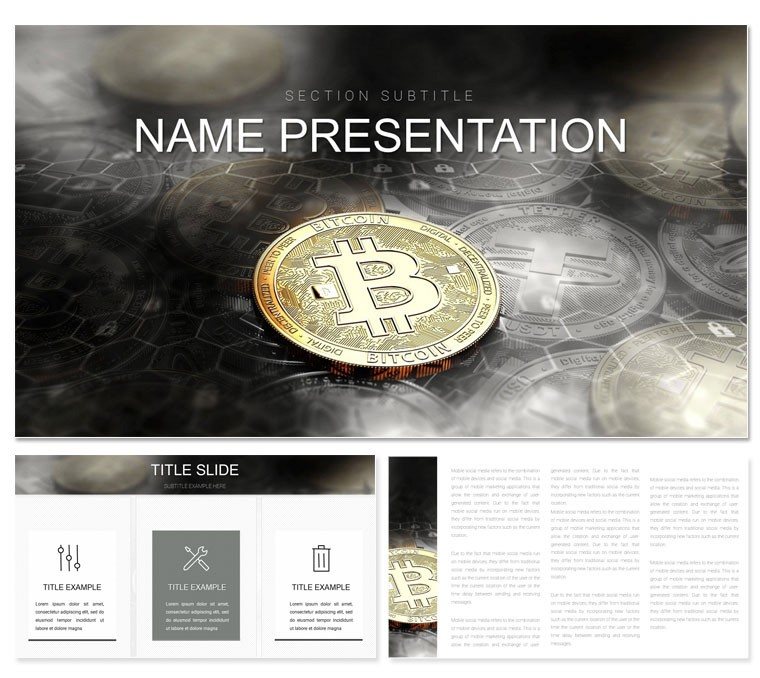
Bitcoin Coinbase Keynote Template: Crypto Dynamics Unleashed
| Format | .pptx |
| Slides | 3 unique layouts |
| Aspect ratio | 16:9 |
| Compatibility | PowerPoint |
| Animated | No |
| Language | English |
| License | Commercial |
| File size | — |
| Version | v1.0 |
| Last updated | October 2023 |
What's inside
Envision your next investor meetup where blockchain buzzwords fade into the background, replaced by sleek visuals that decode volatility and validate visions. The Bitcoin Coinbase Keynote Template is engineered for crypto traders, blockchain devs, and fintech educators seeking to demystify digital assets with sophistication. This collection delivers 28 targeted diagrams - think wallet flowcharts, transaction ledgers, and market volatility radars - all primed for your halving events or DeFi deep dives. Three masters offer layout liberty, complemented by seven color schemes channeling neon blues of exchanges and metallic golds of mined blocks.
Perfect for startup roadshows, trading workshops, or compliance trainings, it turns abstract ledgers into tangible triumphs. Built for Keynote 2016+, edits flow via simple selections, from resizing QR code placeholders to animating consensus algorithms. At $22, it's the low-risk entry to high-impact decks that convert skeptics to stakeholders.
Key Features Powering Crypto Narratives
This template's strength lies in its crypto-centric toolkit, where every element fuels financial foresight. The 28 diagrams span essentials like hash rate timelines and smart contract schemas, crafted with scalable paths for zoom-proof clarity in high-stakes pitches.
- Adaptive Masters: Choose the ledger-focused master for audit trails, the visionary one for tokenomics overviews, or the metrics-driven for ROI projections, all anchored in modern monospace fonts for code-like precision.
- Background Selections: Three variants - a grid evoking blockchains, a dark mode for late-night trading sims, and a vibrant ledger for bullish forecasts - infuse thematic immersion.
- Scheme Spectrum: Seven palettes tuned for dashboard vibes, ensuring altcoin comparisons shine on any display.
Bonus: Embed live API feeds into charts for real-time BTC prices, with the template's guides snapping elements into blockchain-perfect alignment.
Streamlined Steps: Assembling Your Crypto Deck
Kick off by picking a master suited to your angle - maybe the metrics one for a Coinbase integration demo. Slot in your transaction volumes to the funnel diagram, fine-tune gradients for risk tiers, and layer blockchain icons for node distributions.
- Map your message: Use the roadmap slide to sequence from genesis blocks to future forks.
- Infuse data: Pull from Google Sheets, auto-scaling your volume bars accordingly.
- Boost interactivity: Link shapes to external wallets for demo clicks.
- Polish for prime time: Render as Keynote video, embedding audio for narrated trades.
Such steps make your prep as efficient as a proof-of-stake validation.
Use Cases: From Exchanges to Education
In the wild world of web3, this template thrives. A venture capitalist might wield the pie charts to allocate portfolio slices during funding rounds, spotlighting Bitcoin's dominance vividly. Developers adapt the sequence diagrams for Ethereum upgrade talks at conferences, tracing gas fees transparently.
For classrooms, instructors swap in historical charts to teach halvings, engaging Gen Z with relatable meme coin sidebars. Compliance officers, too, leverage it for KYC flows, ensuring regulatory visuals are airtight yet approachable.
Insider Tips for Crypto Slide Mastery
Amplify with Keynote builds - sequential unveils on mining rigs simulate proof-of-work progressively. Cap visuals at key metrics per slide, harnessing whitespace for emphasis on moonshot potentials. For remote collabs, .kth files preserve crypto-specific hyperlinks flawlessly.
Outshining plain slides, it injects sector savvy, prioritizing persuasion over pixels.
Why Choose This for Your Blockchain Briefs
Unique in its ledger-logic icons and volatility-tuned contrasts, this outdoes defaults with embedded QR generators and consensus motifs. Edit paths in flowcharts to mirror evolving protocols precisely.
Acquire the Bitcoin Coinbase Keynote Template for $22 and blockchain your way to breakout sessions that bit never forget.
Frequently Asked Questions
What Keynote features does it leverage best?
Animations and hyperlinks shine, ideal for interactive wallet demos.
Are crypto icons customizable?
Fully, with vector edits for coins, keys, and chains.
Compatible with other apps?
Exports to PDF or PowerPoint for cross-platform use.
How to add real-time data?
Link charts to external sources via Keynote's data tools.
What's the file size like?
Compact at under 50MB, quick to load and share.
Good for
- Project roadmaps and sprint plans
- Product launch timelines
- Quarterly or annual review decks
- Company history and milestone summaries
Licence
reviews
Dark mode friendly with neon accents for tech topics. Flowcharts are detailed and editable. Impressed clients with modern look.
Practical: animations enhance storytelling without slowing Keynote. Good slide variety.
As designer, appreciated the vector quality of shapes. Clean minimalist approach.
Student used for coding presentation - circuit-like icons fit perfectly.
The template elevated my pitch deck. Professional color schemes available.
Slightly critical on text spacing defaults but customizable easily. Solid choice.
FAQ
Will it work in Google Slides?
Are fonts embedded?
Can I use this for client work?
What's the refund policy?
Do you update the template after purchase?
Similar templates
See all Keynote templates →

All 1 slides