 Click to zoom
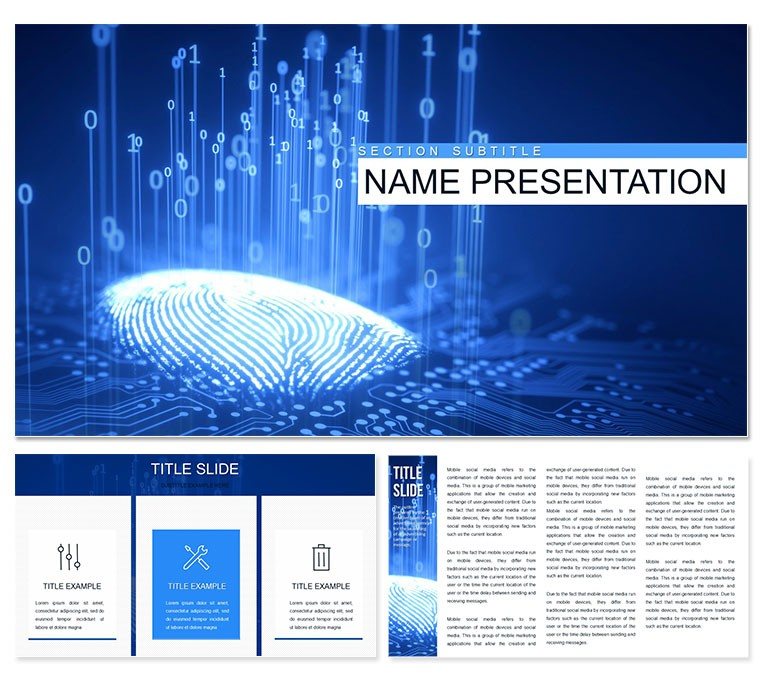
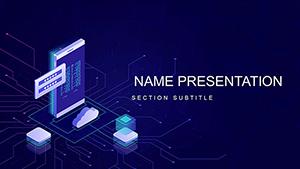
Biometric Security PowerPoint Template: Safeguard Stories Visually
| Format | .pptx |
| Slides | 3 unique layouts |
| Aspect ratio | 16:9 |
| Compatibility | PowerPoint |
| Animated | No |
| Language | English |
| License | Commercial |
| File size | — |
| Version | v1.0 |
| Last updated | August 2020 |
What's inside
In an era where digital doors unlock with a glance or a touch, explaining biometric security demands clarity and impact. This Biometric Security and Authentication PowerPoint template delivers just that, with 28 targeted diagrams ready to illustrate fingerprint scanners, facial recognition, and iris tech. Designed for cybersecurity experts, IT consultants, and software developers, it cuts through jargon to spotlight how these systems fortify access without friction.
From boardroom briefings on threat mitigation to client demos of seamless logins, the template's three masters and backgrounds set a futuristic tone - think metallic accents and grid patterns evoking high-tech labs. Seven color schemes let you toggle between stark contrasts for emphasis or softer tones for approachable explanations. It's your bridge from technical specs to tangible benefits, like reducing breach risks through multi-factor layers. Why fumble with generic slides when you can deploy visuals that resonate instantly?
Essential Features Tailored for Security Narratives
The backbone here is precision engineering. Three masters ensure uniform headers, footers, and navigation, while three backgrounds - clean whites, shadowed blues, or encrypted motifs - frame your content dynamically.
- 28 Precision Diagrams: Dive into flowcharts mapping authentication workflows or Venn diagrams overlapping biometric modalities for hybrid solutions.
- Seven Adaptive Color Schemes: Shift from red alerts for vulnerabilities to green checks for verified accesses, all editable in seconds.
- Vector-Rich Editability: Resize icons of locks and scans without pixel loss, integrating your logos effortlessly.
Built for PowerPoint 2016+, it includes .pptx for hands-on editing, .potx for theme libraries, and .jpg for mockups. This compatibility means seamless collaboration across devices, keeping your security pitch airtight.
Applying It: Step-by-Step for Impactful Demos
Picture a systems architect unveiling a new access control rollout. Begin with an intro slide using the master for a global overview diagram, outlining biometric evolution from passwords to biometrics. Next, populate a process flow diagram: Step one, capture via sensor; step two, match against database; step three, grant or deny with audit logs.
Unlike vanilla PowerPoint's rigid charts, this template's layered elements allow drilling down - hyperlinks to appendix slides on error rates or integration APIs. For a e-commerce security audit, swap to the gradient background and use bubble diagrams to plot user friction points versus security gains, editing bubbles to size by adoption metrics.
Customizing for Diverse Scenarios
Adapt for training sessions with simplified icons or deepen for executive overviews with integrated stats visuals. A consultant once leveraged the radial diagram to compare biometric accuracies, turning a dry spec sheet into a persuasive case that sealed a contract.
- Layer data from CSV imports for dynamic updates.
- Incorporate subtle animations, like sequential reveals on multi-step processes.
- Export sections as PDFs for secure sharing pre-presentation.
This approach not only educates but empowers your audience to envision safer systems.
Pro Tips to Amplify Your Security Presentations
Enhance retention by embedding QR codes linking to demo videos on diagram slides. For remote delivery, the responsive layouts shine on Zoom shares. And when iterating, duplicate masters to version-control evolutions in your security framework.
It's a tool that anticipates your needs, from quick tweaks to full overhauls, ensuring every presentation fortifies your expertise. Secure your next talk with this Biometric Security PowerPoint template - download it to transform threats into triumphs.
Frequently Asked Questions
What biometric topics does it cover?
It includes diagrams for fingerprints, face recognition, iris scanning, and authentication workflows.
Is it compatible with older PowerPoint versions?
Optimized for 2016 and later; for earlier, convert via .pptx export.
How customizable are the diagrams?
Fully - change data, colors, and layouts without design skills.
Can I add my own images?
Yes, placeholders support easy drag-and-drop for custom visuals.
Does it include animation presets?
Yes, subtle builds on diagrams to guide viewer focus sequentially.
What's the file size for sharing?
Compact at under 10MB, ideal for email or cloud uploads.
Good for
- Project roadmaps and sprint plans
- Product launch timelines
- Quarterly or annual review decks
- Company history and milestone summaries
Licence
reviews
The theater mask and curtain are dramatic. Used this for a "Storytelling" workshop.
Good for a "Stage Presence" training manual.
I liked the "Behind the Scenes" slide for process reveals.
The tragedy/comedy comparison is useful for risk/reward slides.
The spotlight effect is easy to apply to text boxes.
FAQ
Will it work in Google Slides?
Are fonts embedded?
Can I use this for client work?
What's the refund policy?
Do you update the template after purchase?
Similar templates
See all PowerPoint Templates →
All 1 slides