 Click to zoom
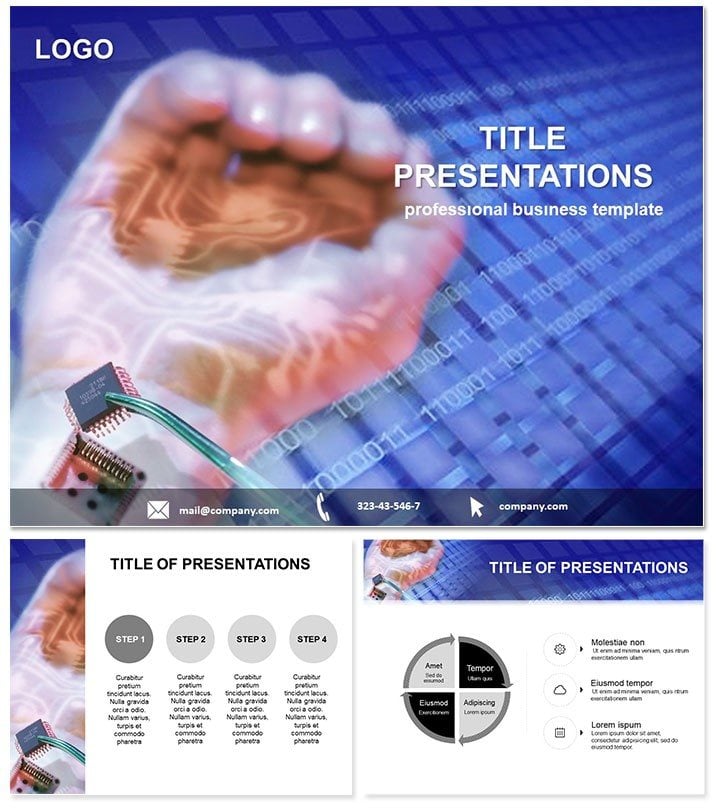
Bio-Chip Technology Keynote Template: Merge Biology and Circuits Seamlessly
| Format | .pptx |
| Slides | 3 unique layouts |
| Aspect ratio | 16:9 |
| Compatibility | PowerPoint |
| Animated | No |
| Language | English |
| License | Commercial |
| File size | — |
| Version | v1.0 |
| Last updated | February 2026 |
What's inside
Envision pitching the future of diagnostics to a boardroom of tech execs and biotech leads, where microscale marvels like bio-chips steal the show. This Bio-Chip Technology Keynote template is your gateway, offering 28 diagrams that fuse semiconductor precision with biological insight. Compact yet powerful, these visuals capture how bio-chips handle hundreds or thousands of reactions at once, analyzing unicellular processes from DNA sequencing to protein interactions. Ideal for computer-IT specialists unveiling hybrid innovations or researchers demystifying lab-on-a-chip concepts, it turns complex mergers into digestible, forward-thinking stories.
Crafted for Keynote`s 16:10 widescreen, it`s seamless with macOS versions from 2016 onward, delivering crisp renders on Retina displays or shared screens. Each diagram pulses with relevance, from layered chip architectures to reaction flow maps, empowering you to spotlight breakthroughs without the drag of from-scratch builds.
Discover the Blueprint of Innovation in Every Slide
With three master layouts and backgrounds, plus seven color schemes per diagram, customization feels intuitive - like tweaking code for optimal output. The 28 slides span from basic bio-chip overviews to advanced simultaneous analysis grids, all in editable .key format alongside .jpg snapshots and .kth themes. Vectors scale effortlessly, letting you zoom into a single reaction site or expand to full-system views.
Highlight slide 4`s merger schematic: It overlays biotech icons on silicon wafers, with drag-and-drop nodes for adding your data points. Or explore diagram 19`s process chain, where arrows trace unicellular flows, animatable to simulate real-time reactions. This structure, inspired by tech decks from Silicon Valley labs, ensures your narrative flows as smoothly as electrons through a circuit.
Pro Tips for Tailoring Your Tech Vision
- Modular Builds: Use Keynote`s magic move to transition between chip layers, revealing biotech integrations step by step for that `aha` moment.
- Scheme Sync: Match colors to your firm`s palette - vibrant for startups, muted for enterprise - to keep branding consistent across slides.
- Data Infusion: Link external spreadsheets to charts; Keynote updates visuals live, perfect for demoing reaction volumes.
Such refinements make your presentation not just informative, but immersive.
Practical Scenarios: From Lab Briefs to Investor Pitches
A biotech engineer might fire up this template for a team huddle on prototype testing. Slide 10`s unicellular analyzer breaks down multi-reaction setups, with editable callouts for tweaking parameters like throughput. Animate the grid to show parallel processing, and your colleagues grasp scalability in seconds.
For investor roadshows, adapt diagram 25`s compact format overview: Compare traditional labs to bio-chip efficiencies with side-by-side timelines. Insert your funding ask via a subtle overlay, and the visuals underscore ROI without overt salesmanship. It`s a subtle nod to how these chips compactly identify processes that once required bulky equipment.
In academic symposia, leverage the full set for a seminar on semiconductor-biotech synergies. Slide 28`s thousand-reaction mosaic invites audience questions, with hyperlinks to appendix details on specific assays. A tried method: Pause mid-flow for a quick sketch on iPad, syncing back to the master for collaborative edits.
Your Go-To Integration Guide
- Launch Smart: Import the .kth theme first to set global fonts that echo tech-forward sans serifs.
- Core Assembly: Populate early slides with merger basics, building to advanced analysis in the latter half.
- Boost Interactivity: Embed hyperlinks to video clips of real bio-chip demos, triggered by chip icons.
- Test Flow: Rehearse with Keynote`s presenter display, noting transition cues for natural delivery.
- Share Seamlessly: Export to PDF for handouts, preserving vectors for print clarity.
This workflow, geared for fast-paced innovators, amplifies your ideas` reach.
Outshining Standard Slides with Specialized Tech Tools
Unlike generic Keynote charts, these diagrams embed domain-specific icons - like helical DNA on circuits - saving redesign time and adding authenticity. Link to companion IT templates for broader tech narratives, enhancing your site`s ecosystem. The result? Presentations that don`t just inform but ignite curiosity in biotech`s silicon heart.
Seize the circuit: Grab this Bio-Chip template now and wire your next talk for breakthrough impact.
Frequently Asked Questions
What makes these diagrams biotech-specific? They incorporate icons and layouts blending semiconductors with biological motifs, like reaction grids mimicking cellular arrays. Can I animate the reaction flows? Absolutely, Keynote`s path animations let you trace processes dynamically across slides. Which Keynote versions support this? Full features from 2016; earlier ones handle basics with theme imports. Are the files Mac-only? Primarily for Keynote on macOS/iOS, but exportable to PowerPoint via .pdf or images. How do I add custom data to the chips? Edit vector nodes directly or link to tables for auto-updating metrics. Is there support for high-res exports? Yes, Retina-optimized for 4K displays and print-ready PDFs.Good for
- Project roadmaps and sprint plans
- Product launch timelines
- Quarterly or annual review decks
- Company history and milestone summaries
Licence
reviews
I needed something last minute for Keynote and this one worked pretty well.
The slides with icons and shapes were easy to customize.
Not really into presentation design but this made my report look less boring.
A couple layouts felt repetitive after a while.
Used it for a marketing update and nobody complained so I guess it worked.
FAQ
Will it work in Google Slides?
Are fonts embedded?
Can I use this for client work?
What's the refund policy?
Do you update the template after purchase?
Similar templates
See all Keynote templates →


All 1 slides