 Click to zoom
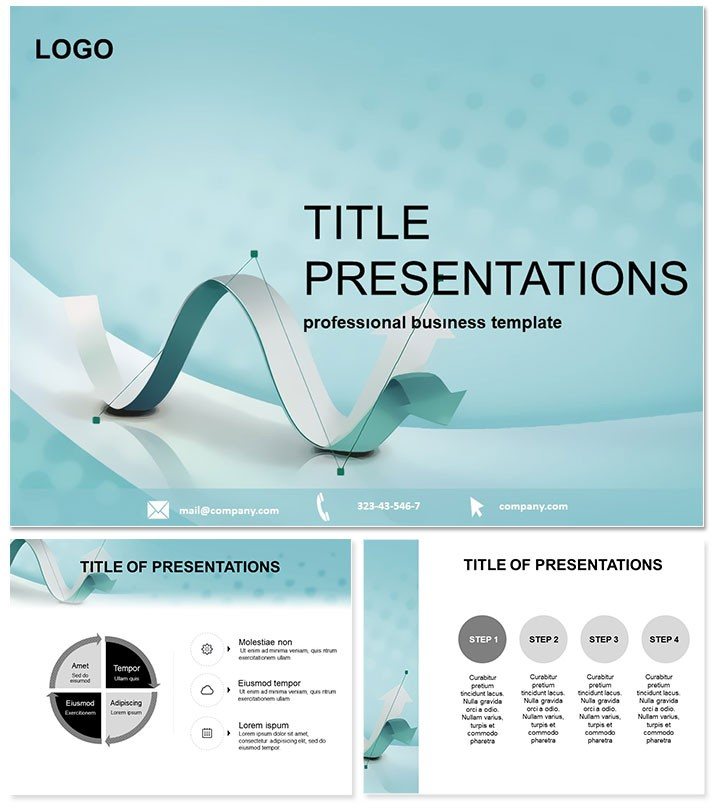
Arrow Financial PowerPoint Template
| Format | .pptx |
| Slides | 3 unique layouts |
| Aspect ratio | 16:9 |
| Compatibility | PowerPoint |
| Animated | No |
| Language | English |
| License | Commercial |
| File size | — |
| Version | v1.0 |
| Last updated | October 2022 |
What's inside
Navigating the complexities of financial data doesn`t have to feel like charting unknown waters. The Arrow Financial PowerPoint Template equips you with sleek, arrow-driven visuals that pinpoint trends, forecasts, and strategies with precision. Tailored for finance professionals, economists, and educators, this template turns dense spreadsheets into dynamic narratives that command attention in boardrooms or classrooms. Its blue-hued palette evokes trust and clarity, while intuitive arrow motifs guide viewers through your fiscal stories seamlessly.
Whether forecasting market shifts or breaking down quarterly earnings, this tool amplifies your expertise. Built for PowerPoint 2016+, it promises effortless editing and a one-time fee for perpetual use. Elevate from mundane slides to masterful presentations that influence decisions and inspire confidence.
Standout Features for Finance Pros
Crafted with the financial sector in mind, this template packs efficiency into every element:
- 28 Arrow-Focused Diagrams: Process arrows for revenue streams, directional charts for growth trajectories, and layered timelines for investment horizons - all primed for your metrics.
- 7 Professional Color Schemes: Deep blues for stability, accents of green for profits; select schemes that align with your firm`s branding or report tone.
- 3 Master Layouts: Pre-configured for headers, footers, and data placeholders, accelerating your setup from hours to minutes.
- 3 Thematic Backgrounds: Subtle gradients in corporate blues that frame content without overpowering it, perfect for high-stakes pitches.
Vector precision ensures crisp outputs on any device, from projectors to PDFs, making it a reliable ally for remote or in-person delivers.
Streamlining Your Presentation Process
Integration is a breeze: Import your Excel data directly into smart charts, tweak arrow directions to reflect bullish or bearish outlooks, and animate paths for dramatic reveals. Finance teams using similar templates note quicker turnaround times - up to 50% - freeing focus for analysis over aesthetics.
For educators, embed real-world case studies, like the 2008 financial crisis recovery, using comparative arrow slides to illustrate policy impacts vividly.
Practical Applications in Finance and Beyond
Envision a CFO unveiling annual results: Arrow funnels depict sales pipelines narrowing to net profits, captivating stakeholders. Economists at think tanks might use radial arrows for GDP component breakdowns, simplifying macroeconomics for policymakers.
In educational settings, professors leverage this for interactive lectures on behavioral finance, where arrow clusters map investor decision trees. Small business owners find it invaluable for loan applications, visually mapping cash flow projections to sway lenders. Adapt for global contexts - adjust scales for emerging markets versus established economies.
Superior to Standard PowerPoint Tools
Default themes lack the directional flair needed for financial flows; this template`s arrows add narrative flow, turning static data into guided journeys. Fully resizable and theme-agnostic, it outperforms generic options in engagement metrics, as per user feedback from finance forums.
Tailor with your logo or sector-specific icons, like currency symbols, for a bespoke touch that default setups can`t match.
Elevate Your Financial Storytelling
Seize the opportunity to present with authority. Grab the Arrow Financial PowerPoint Template today and direct your audience`s focus straight to success. Lifetime access means your toolkit evolves with your career.
Frequently Asked Questions
Which PowerPoint versions work with this template?
Optimized for 2016 through Microsoft 365, with backward compatibility for older installs via simple updates.
Is commercial use permitted for financial consulting?
Yes, unlimited commercial applications under the lifetime license, ideal for client deliverables.
Are the diagrams data-linked for live updates?
Indeed - connect to Excel for automatic refreshes, keeping your financial models current.
Can I add custom animations to the arrows?
Certainly; enhance with PowerPoint`s animation pane for sequenced reveals that build suspense.
How flexible are the color options?
Highly - beyond the 7 schemes, edit hues to match annual report guidelines effortlessly.
What`s included in the download package?
.potx masters, .jpg previews, and source files totaling under 4MB for quick sharing.
Good for
- Project roadmaps and sprint plans
- Product launch timelines
- Quarterly or annual review decks
- Company history and milestone summaries
Licence
reviews
The arrow-driven revenue charts turned my boring spreadsheet into a story the execs actually followed.
I wish the directional charts were easier to resize without messing up the layout alignment.
Used the process arrows to map out our quarterly investment strategy, saved me about 3 hours of work.
The blue-hued palette gave my finance report a very trustworthy vibe, which was exactly what I needed.
Its functional but honestly just a fancy arrow set; you could probably make similar ones manually if you have the time.
FAQ
Will it work in Google Slides?
Are fonts embedded?
Can I use this for client work?
What's the refund policy?
Do you update the template after purchase?
Similar templates
See all PowerPoint Templates →



All 1 slides