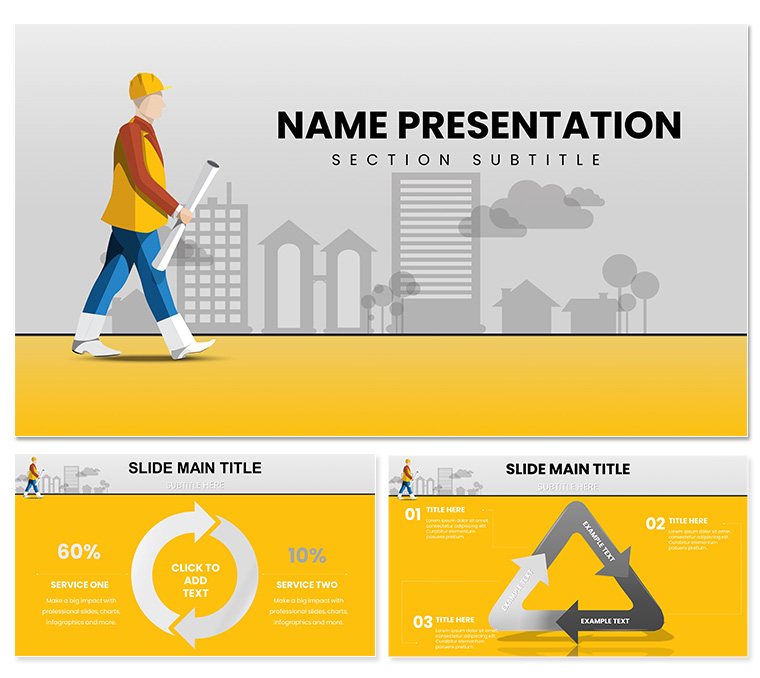
 Click to zoom
Architectural Company PowerPoint Template: Elevate Your Project Portfolios
| Format | .pptx |
| Slides | 3 unique layouts |
| Aspect ratio | 16:9 |
| Compatibility | PowerPoint |
| Animated | No |
| Language | English |
| License | Commercial |
| File size | — |
| Version | v1.0 |
| Last updated | March 2023 |
What's inside
Envision a presentation where blueprints leap off the screen, not as static lines, but as stories of innovation and precision - towering structures rising in animated sequences, team spotlights framing visionary minds, and client successes rendered in crisp timelines. The Architectural Company PowerPoint template brings this vision to life for architects, firm principals, and design teams seeking to captivate stakeholders. With 28 diagram-rich slides, it transforms complex project data into compelling narratives that resonate with developers, city planners, and potential collaborators.
Tailored for the built environment, this template adopts a sophisticated neutral palette accented by structural blues and grays, mirroring the clean lines of modern architecture. Three master slides provide a solid framework, while three background variations let you toggle between minimalist whites for daylight simulations or textured overlays evoking concrete and steel. It's designed for those high-stakes moments: RFP responses, portfolio reviews, or award submissions, where every slide must convey expertise without overwhelming the viewer.
The beauty here is in the balance - professional depth meets intuitive ease. Drop in renders from your Revit models, annotate floor plans with callout bubbles, or chart sustainability metrics with eco-themed icons. For firms like those behind AIA-honored projects, this means less time formatting and more time ideating. Whether pitching a mixed-use development or unveiling an interior refresh, this template ensures your work speaks volumes, fostering trust and sparking partnerships. Let's explore how it structures success from the ground up.
Essential Features That Architect Your Success
Strong presentations, like solid foundations, rely on reliable components. This template's three masters enforce harmony, auto-applying your firm's logo, typography, and spacing rules across the deck. Switch backgrounds to suit the venue - subtle gradients for boardrooms or bold contrasts for virtual webinars - keeping your brand front and center.
Diagram Powerhouse for Design Narratives
The 28 diagrams form the template's structural core, each optimized for architectural storytelling. Gantt charts evolve into project timelines, plotting phases from concept sketches to ribbon cuttings with draggable milestones. Floor plan infographics use layered vectors to overlay zoning details, while SWOT analyses adapt to site assessments, highlighting opportunities like green certifications.
- Portfolio Grids: Modular layouts for before-and-after sequences, with fade transitions revealing construction progress.
- Team Bios: Card-style slides with photo placeholders and bio timelines, ideal for introducing multidisciplinary crews.
- Service Breakdowns: Accordion-style lists expanding into detailed visuals, from schematic designs to BIM modeling.
Seven color schemes cater to project vibes - vibrant for residential visions, subdued for institutional bids - ensuring adaptability without design detours.
Seamless Editing in Your Workflow
Built for PowerPoint 2016+, it integrates with your ecosystem: Export from SketchUp directly into placeholders, or link metrics to project management tools like Asana for real-time updates. Vectors stay sharp at any zoom, and smart art handles complex hierarchies, like org charts for collaborative teams.
A workflow enhancer: Group elements for batch edits, then ungroup for fine-tuning - perfect when aligning elevations with spec tables. This isn't just a template; it's an extension of your drafting board, streamlining from ideation to delivery.
Practical Use Cases: From Concept to Completion
Architecture thrives on context, and this template mirrors that by fitting seamlessly into real firm scenarios. Take a portfolio pitch to a developer: Open with a hero slide blending your logo over a landmark render, then segue into services via a horizontal stepper diagram, each panel unveiling capabilities like sustainable engineering or adaptive reuse.
Guided Walkthrough: Assembling a Firm Introduction Deck
- Define Objectives: Identify key audiences - investors for funding decks, regulators for compliance reviews.
- Layer History: Use a heritage timeline to chronicle milestones, embedding archival photos with caption overlays.
- Spotlight Projects: Carousel sliders for case studies, detailing challenges, solutions, and outcomes with metric gauges.
- Humanize the Team: Profile cards with skill icons, linking to LinkedIn for deeper dives.
- Close Strong: Testimonial montage with quote pulls, followed by a services matrix for next steps.
This approach, used by firms in urban renewal projects, clarifies value propositions, often accelerating contract awards by visualizing synergies early.
Team and Testimonial Integration
For internal alignments or client handoffs, leverage bio slides to foster rapport - pair headshots with project contributions, turning abstracts into allies. Testimonials gain traction in radial charts, radiating feedback stars around central themes like "innovative" or "on-budget."
Versus off-the-shelf options, this template's precision avoids the pitfalls of generic grids, where misaligned plans dilute impact. Its architecture-specific icons - like protractors or load-bearing symbols - add authenticity, making your deck feel bespoke.
Pro Tips to Refine Your Architectural Voice
Infuse personality by animating path builds on elevation diagrams, unveiling layers as if constructing live. For inclusivity, add descriptive alts like "Cross-section view of sustainable atrium with solar shading." Collaborate via shared links, iterating on feedback without version chaos.
In practice, one studio principal noted how the template's clean service lists clarified scopes during consultations, reducing revisions by focusing discussions upfront. These touches elevate from functional to formative.
Build Your Legacy with This Template
For architects shaping skylines, the right tools forge futures. Grab the Architectural Company template for $22 and construct presentations that endure. Your next masterpiece awaits - start designing today.
Frequently Asked Questions
What versions of PowerPoint does it support?
Compatible with PowerPoint 2016 and later, across desktop and online editions for broad accessibility.
How customizable are the project diagrams?
Fully vector-editable, allowing shape manipulations, data swaps, and color shifts to fit any project scale.
Can I add my own renders and photos?
Yes, high-res placeholders support drag-and-drop imports, maintaining aspect ratios for professional framing.
Are there icons for architectural elements?
The template includes themed icons like blueprints and structures, expandable via PowerPoint's insert library.
How do I handle animations?
Built-in entrance effects on timelines and charts; customize via the animations pane for tailored pacing.
Is it suitable for Mac users?
Absolutely, with identical functionality in PowerPoint for Mac, ensuring cross-platform consistency.
Good for
- Project roadmaps and sprint plans
- Product launch timelines
- Quarterly or annual review decks
- Company history and milestone summaries
Licence
reviews
Those flowcharts are great for process documentation.
Some arrows were misaligned but easy to fix.
Used the decision tree for a logic presentation, worked well.
Not bad, the colors are a little corporate for my taste.
The loop diagrams were the highlight for me.
FAQ
Will it work in Google Slides?
Are fonts embedded?
Can I use this for client work?
What's the refund policy?
Do you update the template after purchase?
Similar templates
See all PowerPoint Templates →

All 1 slides