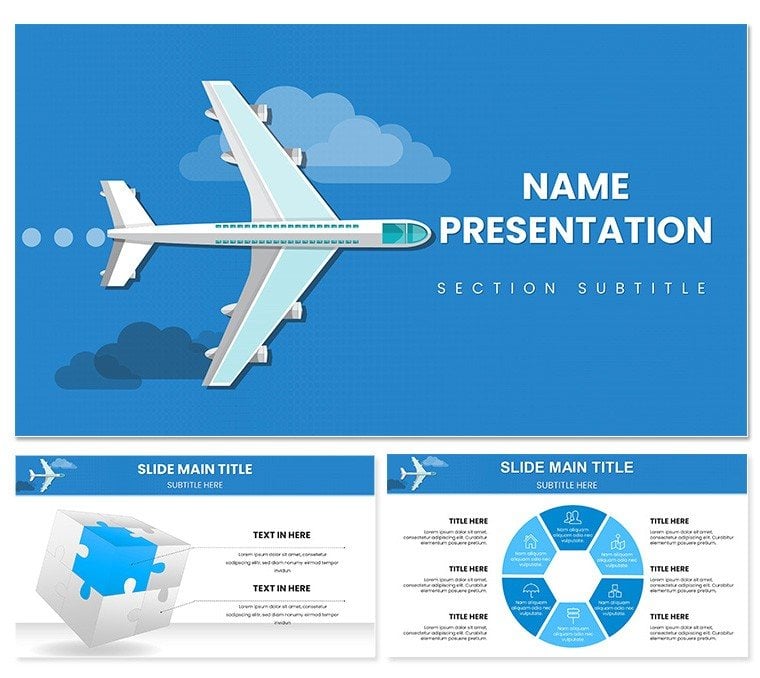
 Click to zoom
Airplane Flights Keynote Template: Navigate Narratives with Ease
| Format | .pptx |
| Slides | 3 unique layouts |
| Aspect ratio | 16:9 |
| Compatibility | PowerPoint |
| Animated | No |
| Language | English |
| License | Commercial |
| File size | — |
| Version | v1.0 |
| Last updated | February 2026 |
What's inside
From the hum of jet engines to the thrill of touchdown, aviation captivates like few industries can. The Airplane Flights Keynote Template channels that energy into presentations that inform and inspire, tailored for travel pros dissecting route efficiencies or enthusiasts recounting flight evolutions. With 28 drag-and-drop diagrams and a clean, modern aesthetic in crisp whites and aviation blues, it spans topics from air travel perks to futuristic skies.
Three master layouts and backgrounds provide a sturdy frame, while seven color schemes let you pivot from corporate grays to vibrant sunsets. A blogger once repurposed the technology showcase slide to highlight sustainable fuels, drawing thousands of views by blending facts with flair. Compatible across Keynote versions from 2016 onward, it's your shortcut to decks that don't just present - they propel conversations. Snag it for $22 and let your ideas climb to new heights.
Essential Elements for Aerial Excellence
The template's strength shines in its breadth: Pre-built slides for benefits breakdowns, aviation timelines, and data dashboards with charts, graphs, and tables. Bold graphics - think stylized wings and horizon lines - add visual punch without clutter, while placeholders invite your photos of dreamliners or remote airstrips.
- Diagram Depth: Timelines chronicling flight milestones, maps plotting global hubs, and radial charts for service comparisons.
- Slide Spectrum: From text-driven histories to image galleries of cockpit innovations.
- Flex Factors: Font tweaks and media embeds that maintain harmony across devices.
These components craft experiences that resonate, far beyond static slides.
Personalizing Your Flight Path
Launch Keynote, choose a background, and infuse your voice - swap blues for earthy tones if focusing on eco-travel. The drag-and-drop magic simplifies adding route stats to maps, with auto-scaling for precision. Insider advice: Layer subtle shadows on graphs to mimic altitude depth, enhancing 3D appeal in projections.
- Populate tables with airline metrics for instant visual updates.
- Insert video clips of takeoffs into media slots for dynamic storytelling.
- Refine transitions to glide like a smooth landing, pacing reveals naturally.
This process yields a bespoke deck, attuned to your audience's altitude.
Versatile Ventures: Aviation in Action
Deploy it for business briefings where the future slide envisions drone deliveries, or enthusiast meetups tracing propeller eras. A travel agent leveraged the stats infographic to compare fares, closing bookings by visualizing value. In contrast to vanilla Keynote setups, its aviation motifs infuse authenticity, like embedding altimeter icons for elevation metaphors.
Educators find the process slide invaluable for dissecting check-in flows, step-by-step clarity that sticks. It edges out competitors with thematic cohesion, weaving LSI terms like "cabin configurations" organically into layouts.
Beyond the Basics: Why Choose This
Default templates often ground you in blandness; this one launches with purpose-built aviation elements, from vector propellers to gauge dials for metrics. Hybrid-ready exports preserve quality, suiting virtual flights or in-person ascents.
Sync with iCloud for team handoffs, then finalize with custom footnotes on regulatory slides. The impact: Presentations that not only cover ground but cover skies, leaving lasting contrails.
Optimize Your Presentation Altitude
Structure starts with an engaging opener slide, funneling into thematic sections. Use the query handler for interactive polls on preferred destinations. Post-event, convert to interactive PDFs for follow-up explorations.
A conference organizer praised the gallery for curating speaker bios alongside flight trivia, enriching hybrid events. Such adaptability cements it as a go-to for recurring travel talks.
Launch your next deck skyward - download for $22 and trace trails of triumph.
Frequently Asked Questions
What's the easiest way to edit diagrams?
Drag-and-drop functionality allows quick swaps of data and colors without advanced skills.
Does it include aviation-specific icons?
Yes, a library of plane, route, and terminal icons elevates thematic relevance.
Can I present on mobile devices?
Fully responsive, ensuring sharp visuals from iPhone to iPad.
How customizable are the backgrounds?
Three options, each editable for opacity and overlays to match your style.
Is video integration supported?
Seamless embedding for clips up to 4K, enhancing engagement.
Good for
- Project roadmaps and sprint plans
- Product launch timelines
- Quarterly or annual review decks
- Company history and milestone summaries
Licence
reviews
Airplane flights template has wing and route map diagrams in sky blues. Great for travel industry pitch with realistic jet icons.
The boarding process flows are practical. Used under deadline successfully.
Student geography: flight path shapes helped explain routes. Vibrant schemes.
Enthusiastic about cloud and globe elements - immersive.
Mixed: good for logistics but some icons generic. Customizable enough.
The takeoff timeline diagrams were clear and professional looking.
FAQ
Will it work in Google Slides?
Are fonts embedded?
Can I use this for client work?
What's the refund policy?
Do you update the template after purchase?
Similar templates
See all Keynote templates →

All 1 slides