 Click to zoom
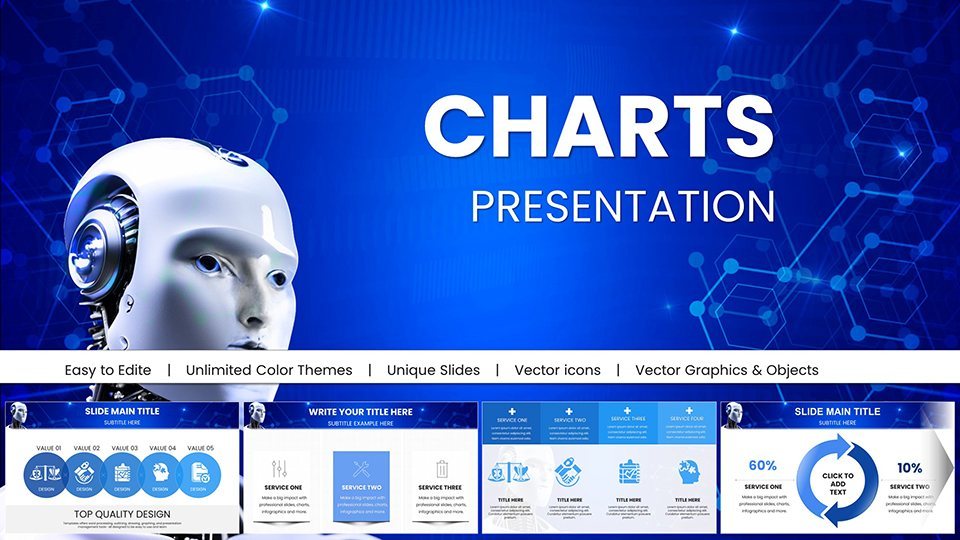
AI Keynote Presentation Templates with Robot AI Charts
| Format | .pptx |
| Slides | 11 unique layouts |
| Aspect ratio | 16:9 |
| Compatibility | PowerPoint |
| Animated | No |
| Language | English |
| License | Commercial |
| File size | — |
| Version | v1.0 |
| Last updated | May 2025 |
What's inside
The realm of artificial intelligence is expanding rapidly, and so is the need for presentations that demystify its complexities. Our AI Robot Keynote Template steps in as your ally, offering 11 editable slides infused with robotic themes and advanced charts. Tailored for data scientists, tech innovators, and educators, this template simplifies conveying concepts like machine learning algorithms or robotic process automation. With Keynote compatibility, it's a breeze to edit on your Mac or iPad, turning technical talks into inspiring sessions.
Envision presenting at a tech conference where your slides feature sleek robot icons illustrating neural networks - audience eyes light up with understanding. This template addresses the challenge of making AI accessible, providing pre-designed visuals that save time and enhance clarity. It's not just about data; it's about storytelling in the age of AI, drawing from principles in fields like IEEE robotics standards for authenticity.
Essential Features for Tech Presentations
Compact yet powerful, the 11 slides pack a punch with features focused on AI themes. High-quality robot visuals and data charts are fully editable, allowing personalization of colors, fonts, and layouts to suit your topic.
Keynote's robust tools shine here, supporting complex edits like layering elements for depth in AI model diagrams. The design emphasizes minimalism, avoiding clutter to keep focus on your insights.
- Robot-Themed Icons: Symbolic representations for AI components like bots and circuits.
- Customizable Charts: Adapt for specific data sets in machine learning demos.
- Tech-Optimized Layouts: From overviews to detailed breakdowns.
- Easy Integration: Pull in data from Python exports or Excel.
Aligned with UX principles from Nielsen Norman Group, the template ensures intuitive navigation, making your AI narratives flow naturally.
Chart Varieties for AI Depth
Charts in this template are geared toward AI specifics. Flowcharts map algorithmic processes, showing decision trees in robot behaviors. Bar charts compare model accuracies, highlighting improvements in iterations.
Line graphs track learning curves over epochs, essential for explaining neural network training. Pie charts break down AI application sectors, like 50% in healthcare robotics. Each is editable for precision, supporting annotations for key takeaways.
In a startup pitch, use these to demonstrate AI prototype performance, backed by metrics from real benchmarks like those in Kaggle competitions.
Use Cases in AI and Beyond
From boardrooms to classrooms, this template adapts. Data scientists present research findings, using charts to visualize dataset analyses. Startups woo investors with robot AI projections, showcasing scalability.
Educators break down concepts like computer vision, with slides facilitating discussions. Business leaders outline AI strategies, integrating charts with SWOT for robotics adoption.
- Outline Your AI Story: Compile key points and data.
- Customize in Keynote: Edit charts and add robot elements.
- Refine Visuals: Test for clarity and engagement.
- Present Innovatively: Use animations to reveal AI insights.
Combine with tools like TensorFlow for data viz exports, creating a seamless AI workflow.
Premium Value in a Compact Package
Unlike expansive free libraries, this focused template offers specialized AI elements with support and updates. It's a targeted investment for tech pros, ensuring presentations that impress without excess.
With guarantees and compatibility, it's trustworthy for high-stakes AI deliveries.
Frequently Asked Questions
- Editable in Keynote only? Yes, optimized for .key format.
- Suitable for robotics talks? Perfect, with themed charts.
- Number of slides enough? Yes, for concise, impactful presentations.
- Support for custom data? Fully, import and edit easily.
- Updates included? Lifetime free enhancements.
- iOS compatible? Yes, edit on the go.
Step into the future - download this AI Keynote template and robotize your presentations today.
Good for
- Project roadmaps and sprint plans
- Product launch timelines
- Quarterly or annual review decks
- Company history and milestone summaries
Licence
reviews
Used the pie charts for carbon reduction and the vector quality held up on a big screen.
The renewable energy timelines were straightforward but some labels were off-center.
Good for NGOs but the tree and solar icons are a bit stock-photo looking.
Decent value for $18 if you need a lot of slides quickly the eco palettes are nice.
The light and dark mode switch is a cool feature but I stuck with the default.
FAQ
Will it work in Google Slides?
Are fonts embedded?
Can I use this for client work?
What's the refund policy?
Do you update the template after purchase?
Similar templates
See all Keynote Charts →
All 11 slides