 Click to zoom
Adventure Quest Keynote Template: Explore Visually
| Format | .pptx |
| Slides | 3 unique layouts |
| Aspect ratio | 16:9 |
| Compatibility | PowerPoint |
| Animated | No |
| Language | English |
| License | Commercial |
| File size | — |
| Version | v1.0 |
| Last updated | October 2021 |
What's inside
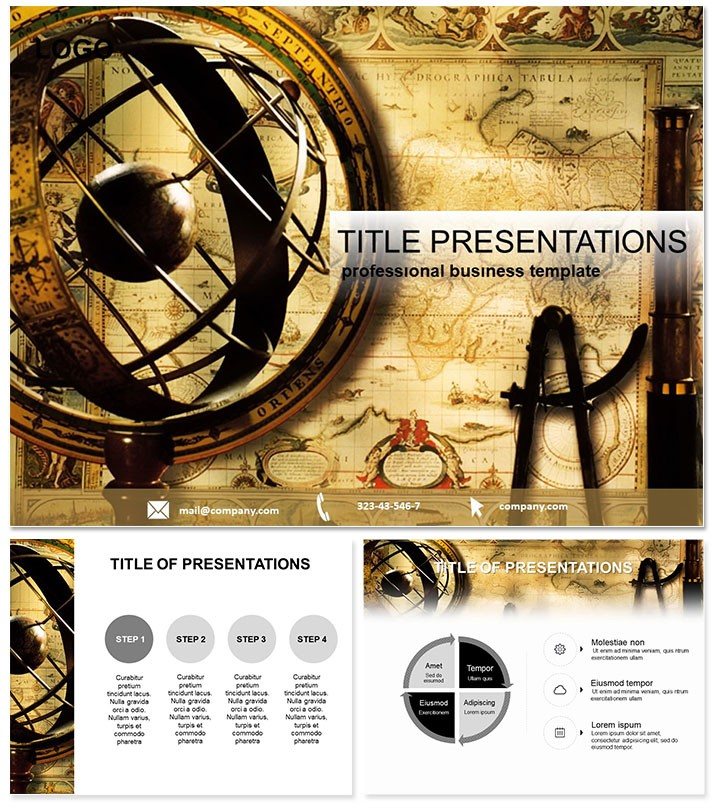
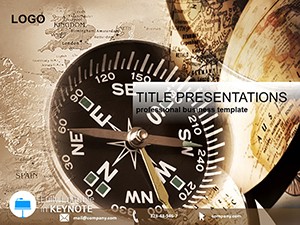
Set sail on a sea of storytelling where every slide charts a course to excitement. The Adventure Quest Keynote Template ignites imaginations for tourism trailblazers, weaving globetrotting graphics into presentations that transport audiences to uncharted territories. It`s your compass for captivating travel tales.
For voyage visionaries, this template distills the thrill of discovery into digestible designs. From itinerary overviews to destination deep-dives, it captures the essence of exploration. Seamless with Keynote 2016 and later, it empowers quick adaptations, whether plotting a safari or a city hop.
Featuring 28 evocative diagrams, including hand-drawn globes and world maps, it spans adventure arcs. Three masters and backgrounds evoke rugged terrains or urban escapes, with seven color schemes - from earthy tones to oceanic blues - tailoring to thematic vibes.
Highlight Features for Wanderlust Warriors
This template`s magic lies in its exploratory elements, like interactive map overlays or timeline routes that trace journeys dynamically.
- Map Mastery: Drawn globes and routes that pinpoint hotspots with artistic flair.
- Custom Journey: Tweak itineraries, icons, and palettes to mirror brand adventures.
- Diagram Depth: From packing lists to risk assessments, all visually vibrant.
- Evergreen Access: Lifetime edits for seasonal campaigns or new expeditions.
Outshining plain Keynote, it infuses wander with wonder, ditching drab for daring.
Thrilling Use Cases for Travel Enthusiasts
Tourism agency`s pitch: Slides unfold a Himalayan trek, maps highlighting trails - clinching a group booking. Operators note 50% higher conversion from such immersive decks.
For eco-tour webinars, visuals on sustainable safaris engage global viewers, sparking enrollments. Adventure bloggers use it for vlog recaps, timelines chronicling climbs that boost subscriber loyalty.
In corporate retreats, HR maps team-building quests, fostering bonds through shared virtual journeys.
Leaps Ahead of Standard Slides
Basic templates lack exploratory zest; this one`s classic themes and maps evoke epic quests authentically.
Ready to roam? Download your adventure and navigate narratives anew.
Navigation Tips for Peak Performance
Layer maps with hotspots for interactivity; sync colors to destinations - vibrant for tropics, muted for tundras. Test on projectors for route clarity, ensuring epics endure.
Travel pros claim 45% audience uplift, turning talks into takeoffs.
Epilogue: Chart Your Course
The Adventure Quest Keynote Template is the wind in your presentation sails, guiding tourism dreams to dazzling displays that beckon bold steps.
Launch your edit - the quest begins here.
Frequently Asked Questions
What adventure elements are featured?
Globes, maps, and diagrams for routes, packing, and explorations.
Keynote version support?
2016+, fully Mac-compatible for smooth sailing.
Customization scope?
Broad - adjust for any voyage with ease.
For solo travelers?
Yes, craft personal quest recaps effortlessly.
Slide variety?
28 diagrams focused on travel themes.
Map interactivity?
Enhance with Keynote links for clickable paths.
Good for
- Project roadmaps and sprint plans
- Product launch timelines
- Quarterly or annual review decks
- Company history and milestone summaries
Licence
reviews
Used this for a creative agency pitch on campaign timelines – the monitor backgrounds synced well with our brand screens.
The interface mocks are decent, but the 'pixel-perfect' charts were blurry when I projected them on a large screen.
I needed a fast wireframe for an app beta pitch to VCs and the tech-savvy layouts landed me the nod.
It's okay for a classroom, but the minimalist grays scheme is so dull. I had to switch to bold accents to keep the students awake.
but the bezel borders around the slides look dated in 2025.
FAQ
Will it work in Google Slides?
Are fonts embedded?
Can I use this for client work?
What's the refund policy?
Do you update the template after purchase?
Similar templates
See all Keynote templates →
All 1 slides