 Click to zoom
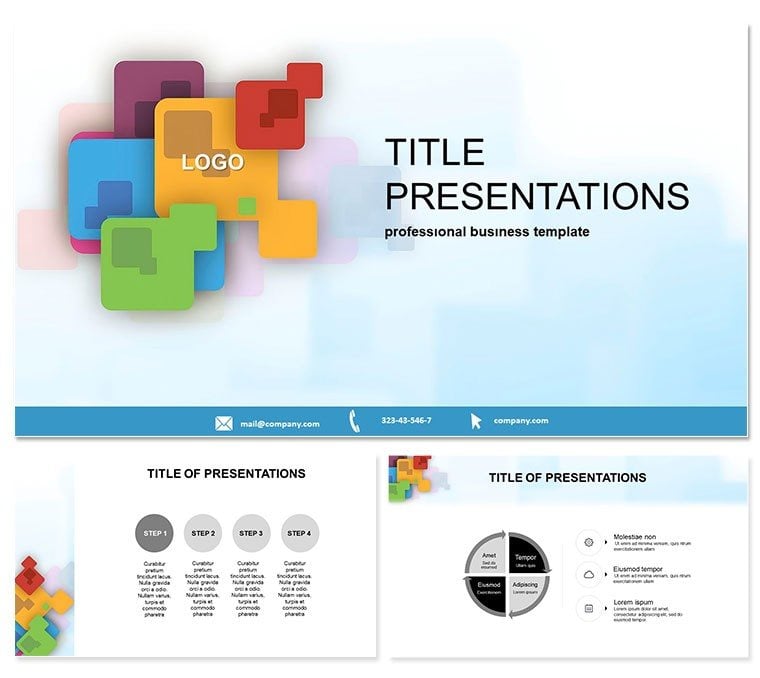
Abstract Square Pointers Keynote Template
| Format | .pptx |
| Slides | 3 unique layouts |
| Aspect ratio | 16:9 |
| Compatibility | PowerPoint |
| Animated | No |
| Language | English |
| License | Commercial |
| File size | — |
| Version | v1.0 |
| Last updated | March 2024 |
What's inside
Strip away the ordinary and point toward innovation with the Abstract Square Pointers Keynote Template. Its minimalist squares guide eyes effortlessly, making complex ideas navigate smoothly for business minds, educators, and creators seeking sleek sophistication.
Keynote 6.0+ compatible, .key/.kth ready for Mac/iPad. $22 once for endless tweaks and lifetime value.
Design Features That Direct Focus
Three masters, backgrounds, 28 diagrams in seven schemes - pure, geometric elegance. Squares as pointers add subtle direction without distraction.
- Minimalist Vectors: Scalable shapes for any scale.
- Brand Sync: Recolor to match palettes precisely.
- Flow Enhancers: Pointers link sections intuitively.
Trumps defaults with intentional abstraction, accelerating professional polish.
28 Slides: Geometric Guidance
Slide 1`s pointer intro sets navigation. Slides 4-9 map processes linearly. 14-20 handle data with squared grids. 25-28 summarize with converging points. Animate for progressive reveals.
Versatile Venues Explored
Execs pitch strategies via Slide 12, one startup raising funds via clear roadmaps. Teachers diagram concepts on Slide 16, aiding visual learners. Adapt for portfolios or reports.
Elevate your deck - customize to navigate narratives flawlessly.
Abstract Advantage Over Basics
Offers curated geometry for impact, beyond scattered shapes.
Pointer Precision Tips
Align with golden ratio for balance, test flows for logic. Track viewer paths for refinements.
Point to Presentation Excellence
Guide with grace using this template. Download and direct today.
FAQ
Best for abstract topics?
Ideal for conceptual or data-light decks.
Font flexibility?
Supports sans-serif for modernity.
Export options?
PDF, video for wide sharing.
Animation basics?
Simple wipes along pointers.
Size limits?
Unlimited, duplicate freely.
Theme variations?
Seven schemes included.
Good for
- Project roadmaps and sprint plans
- Product launch timelines
- Quarterly or annual review decks
- Company history and milestone summaries
Licence
reviews
Downloaded this for a quarterly office presentation.
I liked the wide charts and simple section dividers.
Some slides felt empty until I added extra content.
The layout was organized enough that I finished editing in one evening.
Not super exciting visually but practical.
FAQ
Will it work in Google Slides?
Are fonts embedded?
Can I use this for client work?
What's the refund policy?
Do you update the template after purchase?
Similar templates
See all Keynote templates →

All 1 slides