 Click to zoom
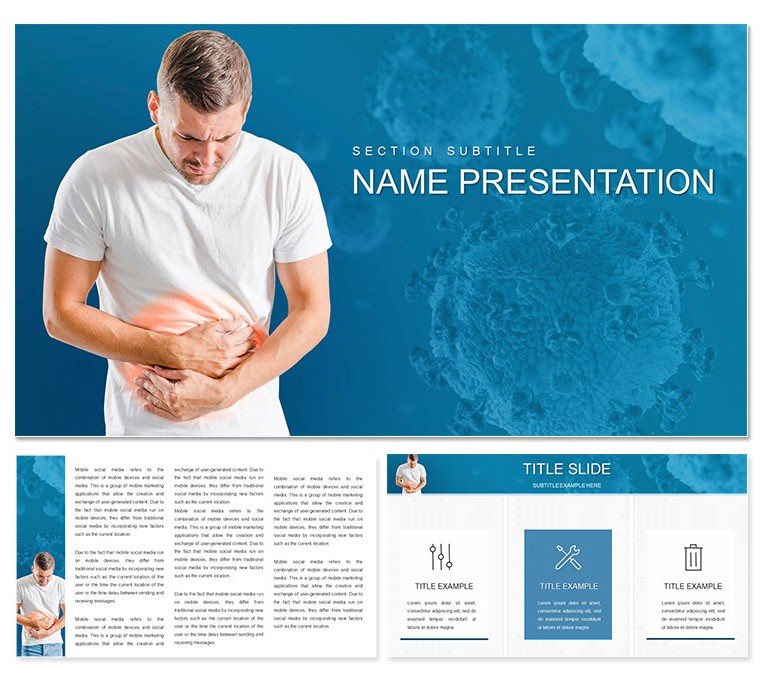
Abdominal Pain and Treatment Keynote Template
| Format | .pptx |
| Slides | 3 unique layouts |
| Aspect ratio | 16:9 |
| Compatibility | PowerPoint |
| Animated | No |
| Language | English |
| License | Commercial |
| File size | — |
| Version | v1.0 |
| Last updated | October 2022 |
What's inside
Imagine standing before a room of colleagues or patients, armed with visuals that not only explain the complexities of abdominal pain but also guide them toward relief with clarity and confidence. This Keynote template is your go-to resource for turning intricate medical concepts into digestible, visually striking narratives. Tailored for healthcare professionals like gastroenterologists, emergency room physicians, and medical educators, it features 28 meticulously designed diagrams that cover everything from common causes like indigestion and infections to advanced treatment pathways including medications and lifestyle adjustments.
What sets this template apart is its seamless blend of precision and flexibility. With three master slides and three background options, you can effortlessly align the design with your hospital's branding or the tone of your session - whether it's a formal seminar or a quick patient consult. The seven color schemes allow you to adapt for different audiences: soothing blues for calming patient discussions or vibrant accents for dynamic team trainings. Each diagram is fully editable, so swapping in your latest research findings or patient case studies takes mere minutes, freeing you to focus on what matters most - delivering impactful care.
Envision using this in a bustling clinic setting: a slide illustrating the gastrointestinal tract's role in cramps, complete with layered infographics that peel back layers of anatomy as you speak. Or picture a workshop where timelines map out symptom progression alongside intervention steps, helping nurses anticipate patient needs. This isn't just a template; it's a conversation starter that bridges the gap between diagnosis and understanding, ensuring your message resonates long after the presentation ends.
Unlocking the Core Features of This Medical Keynote Design
Dive deeper into what makes this template a staple in medical arsenals. At its heart are 28 diagrams spanning graphs for symptom frequency, tables for differential diagnoses, and timelines for recovery benchmarks. These aren't generic placeholders - they're crafted with medical accuracy in mind, drawing from standard protocols to ensure your content feels authoritative without overwhelming the viewer.
- Infographic-Rich Layouts: From pie charts breaking down pain triggers (like diet versus stress) to flowcharts detailing emergency protocols, every element supports data-driven storytelling.
- Versatile Visual Tools: Incorporate images of anatomical models or embed tables for medication dosages, all scalable to fit your narrative flow.
- Seamless Integration: Compatible with Keynote's native tools, add hyperlinks to reference studies or embed videos of procedural demos effortlessly.
One standout is the modular slide structure: rearrange sections to prioritize acute versus chronic cases, making it ideal for varied presentation lengths. And with built-in text objects that auto-adjust for font consistency, your deck maintains a polished look even as you iterate.
Step-by-Step Guide: Bringing Abdominal Pain Topics to Life
Getting started is straightforward, designed for busy professionals who value efficiency. Begin by opening the .key file in Keynote - your three masters load instantly, offering layouts for title slides, content-heavy pages, and closing summaries.
- Select Your Scheme: Choose from the seven color palettes to match your venue's lighting or audience demographics - opt for high-contrast for projected screens.
- Populate Diagrams: Click into any of the 28 slides; drag-and-drop your data into graphs showing pain distribution across age groups, or customize timelines with real recovery milestones from your practice.
- Add Personal Touches: Layer in photos from your clinic's resources or icons representing lifestyle tips, like hydration icons next to fluid balance charts.
- Preview and Refine: Use Keynote's presenter view to test transitions, ensuring smooth fades between cause-effect slides that keep your audience engaged.
- Export and Share: Output as PDF for handouts or video for online webinars, preserving vector quality for sharp prints.
This workflow has powered countless sessions, from grand rounds on irritable bowel syndrome to community health fairs demystifying appendicitis. It's about more than slides - it's crafting experiences that empower better health decisions.
Real-World Applications: From Clinic to Classroom
Consider a scenario where an ER doctor uses the template's cramp visualization slide to walk a multidisciplinary team through a complex case of diverticulitis. The layered diagram highlights inflammation hotspots, prompting immediate questions and collaborative insights. Or think of a medical school lecturer employing the treatment flowchart to illustrate antibiotic choices, sparking discussions on resistance patterns that stick with students.
In patient education, the simplicity shines: a single slide with icons for dietary dos and don'ts transforms abstract advice into actionable visuals, boosting adherence. For pharmaceutical reps pitching new antispasmodics, the data tables become canvases for comparative efficacy, turning pitches into partnerships. These applications underscore the template's versatility - it's not locked to one use but evolves with your expertise.
Customization Tips for Maximum Impact
To elevate your deck, start with audience analysis: for tech-savvy residents, embed interactive elements like clickable anatomy hotspots; for general practitioners, keep it linear with bold callouts on red-flag symptoms. Leverage the backgrounds for thematic depth - one minimalist for data dives, another with subtle medical motifs for intros.
Pro tip: Pair diagrams with storytelling arcs. Open with a relatable anecdote slide (customize the title master for quotes from patient testimonials), build tension through cause breakdowns, and resolve with optimistic treatment outcomes. This narrative thread, inspired by effective medical communication practices, keeps viewers hooked and informed.
As you refine, test on different devices - Keynote's responsiveness ensures crisp renders on iPads for bedside reviews. The result? A toolkit that not only informs but inspires action, whether that's a swift diagnosis or a healthier lifestyle choice.
Why This Template Stands Out in Medical Presentations
Unlike basic Keynote defaults that leave you wrestling with alignments, this template anticipates your needs with pre-aligned grids and smart guides. It's built for the realities of healthcare: quick edits during on-call shifts, compatibility across versions from 2016 onward, and export options that maintain fidelity for regulatory submissions.
Users appreciate the balance - detailed enough for specialists yet accessible for generalists. Integrate it into your workflow alongside tools like electronic health records, pulling stats directly into tables for real-time relevance. The endgame? Presentations that don't just convey information but catalyze change, one slide at a time.
Ready to transform how you address abdominal discomfort? Download this template today and watch your medical narratives come alive.
Frequently Asked Questions
What makes this Keynote template suitable for abdominal pain topics?
It includes 28 specialized diagrams covering causes, symptoms, and treatments, with editable elements tailored to medical accuracy.
Can I customize the color schemes for my branding?
Yes, with seven built-in schemes, you can tweak hues via Keynote's color editor to match your institution's palette.
Is this template compatible with older Keynote versions?
It's designed for Keynote 2016 and later, ensuring broad accessibility across Mac devices.
How many backgrounds and masters are included?
Three masters and three backgrounds provide versatile starting points for your deck's structure.
Can I add my own images or data to the diagrams?
Absolutely - drag-and-drop functionality supports seamless integration of photos, charts, or custom datasets.
What's the file format for download?
Files come in .key and .kth formats, ready for immediate use in Keynote.
Good for
- Project roadmaps and sprint plans
- Product launch timelines
- Quarterly or annual review decks
- Company history and milestone summaries
Licence
reviews
The diagrams simplified explanation of our business model effectively.
Preparing the startup pitch deck became manageable with this template. Sections for market analysis and financials fit our story perfectly after content swap.
The typography and spacing create a professional yet approachable feel suitable for investor meetings. Colors are neutral enough for broad use.
A few placeholder images were industry-specific so I replaced them with our screenshots. The overall flow remained strong.
This helped us rehearse and refine the presentation faster. The team felt more confident with polished slides.
The structure guided our narrative without forcing unnecessary slides. Editing experience was smooth on my Mac.
Visual hierarchy made key metrics stand out during the demo. Minor font tweak for better contrast.
It looked sharp projected in the meeting room. Recommended for early-stage founders.
FAQ
Will it work in Google Slides?
Are fonts embedded?
Can I use this for client work?
What's the refund policy?
Do you update the template after purchase?
Similar templates
See all Keynote templates →



All 1 slides